|
Pawel Pietrzak
|
|
|
Group: Forum Members
Posts: 4,
Visits: 40
|
Hello, I am trying to create a new skin/template using skin-designer. The application starts, however, as it tries to change the setting, nothing happens. What am I doing wrong? I'm using the trial version... 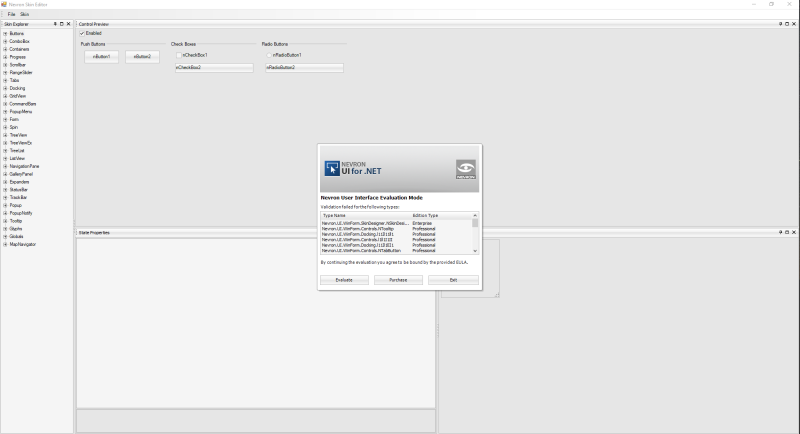 I would like to change the settings of the button or anything, but nothing can be changed 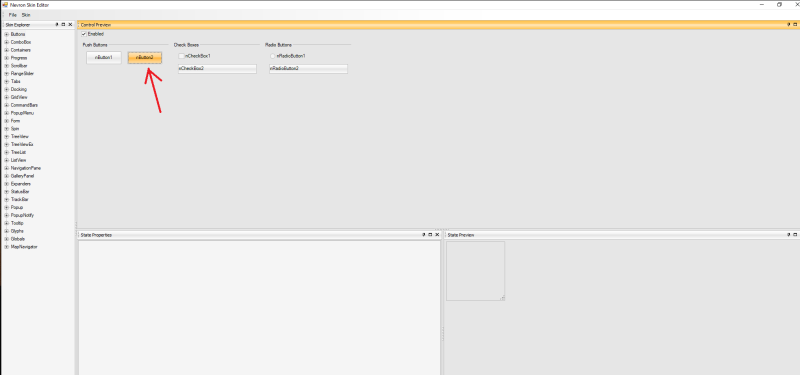 Please, tell me what's wrong Br, Pawel
|
|
|
|
|
Nevron Support
|
|
|
Group: Administrators
Posts: 3.1K,
Visits: 4.3K
|
Hello Pawel, To change the settings of the current loaded skin you need to select which state of the UI control you want to change, then you need to remove current entry by selecting Skin -> Remove Current Entry and then you have to select Skin -> Add New Entry to be able to edit the selected state of the UI control. You can find a brief topic about using the Skin Editor in our online help:
Best Regards,
Nevron Support Team
|
|
|
|
|
Dmitriy Matviiets
|
|
|
Group: Forum Members
Posts: 5,
Visits: 34
|
Hello! I also have an issue with Skin Designer, when trying to set colors for controls, e.g. for NCheckBox in UncheckedNormal state. 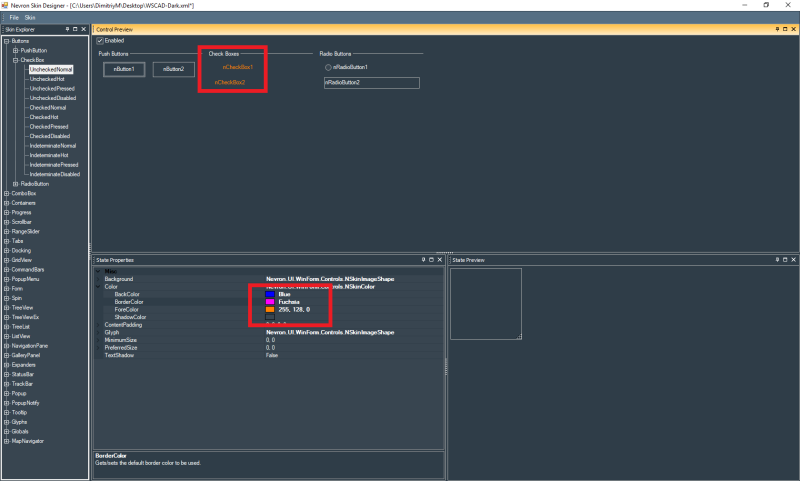 Just following steps (like: remove current entry, then add new entry) from the answers here, dont give desired result, only ForeColor setting works. Could smbd, help me with this?
|
|
|
|
|
Nevron Support
|
|
|
Group: Administrators
Posts: 3.1K,
Visits: 4.3K
|
Hello Dmitriy, As opposite to fore color property, the background and the glyph properties displayed on the image that you post are image-based so you have to select an images for the background and the glyph properties: For example expand Background and set some image to the Image property. You can select File - > Dump Images to dump all images used in the current skin as a base images of your custom skin.
Best Regards,
Nevron Support Team
|
|
|
|
|
Dmitriy Matviiets
|
|
|
Group: Forum Members
Posts: 5,
Visits: 34
|
When I set images for background of ScrollBar via skin designer, at first look it is ok, however in some cases the view get back to default win scroll bar: 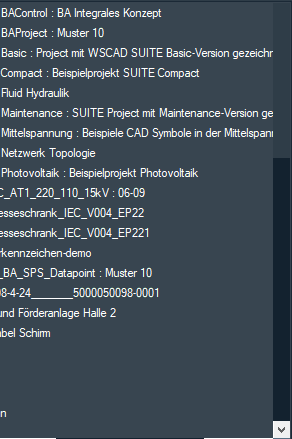 this is how it looks when the Shaft back image was set. But after I try to scroll it vertically by clicking a mouse over and pulling, it looks like this:  after mouse button is released. Setting DoubleBuffering does not help. How may this be fixed?
|
|
|
|
|
Nevron Support
|
|
|
Group: Administrators
Posts: 3.1K,
Visits: 4.3K
|
This problem is not related to the skin. It is a bug with the control itself. Unfortunately, currently there is no solution for it.
Best Regards,
Nevron Support Team
|
|
|
|
|
Dmitriy Matviiets
|
|
|
Group: Forum Members
Posts: 5,
Visits: 34
|
Another question is regarding controls like CheckBox and RadioButton. When working with Skin Designer, I see that colors from custom palette emediatelly applied to this controls as to the rest of controls, but when target application is started - it looks like only these controls have default appearance, while other N controls got customisation data from skin file. If I set Palette value of specific checkbox explicitly in code - then my custom colors are applied. So the question is, how may I apply value of NUIManager.Palette to all checkboxes and radiobuttons in my app? I guess custom palette should be applied to them by default, as to all other conrols at the moment of NUIManager.Palette setup, so I checked the usage of Palette property in my app and dont see any suspicious setups. Could you, pls, give a hint, how palette applience to all instances of some class be controlled?
|
|
|
|
|
Nevron Support
|
|
|
Group: Administrators
Posts: 3.1K,
Visits: 4.3K
|
Hi Dmitriy, You will need to subclass the desired control and set the palette properties into the constructor like the example below:
public class MyNCheckBox : NCheckBox
{
public MyNCheckBox()
{
Palette.ControlText = Color.Red;
}
}
Then you should replace the controls with yours.
Best Regards,
Nevron Support Team
|
|
|
|
|
Dmitriy Matviiets
|
|
|
Group: Forum Members
Posts: 5,
Visits: 34
|
Now there is an issue with NContextMenu. What I need is to set background color for menu item when it is in highlighted mode. Unfortunately approach, suggested above, does not work with it. I also tried to set Palette of NCommand objects of the menu, but an exception occurs when setting Palette of NCommand. Could, you pls, suggest smth with this?
|
|
|
|
|
Nevron Support
|
|
|
Group: Administrators
Posts: 3.1K,
Visits: 4.3K
|
Hi Dmitriy, Please, try the following:
nContextMenu1.PaletteInheritance = PaletteInheritance.None;
nContextMenu1.Palette.HighlightLight = color1;
nContextMenu1.Palette.HighlightDark = color2;
If you don't want to has a gradient color just set both properties to one color. I hope this helps.
Best Regards,
Nevron Support Team
|
|
|
|