Hi Experts,
I want to add to a chart a footer label to give some status information which should look like:
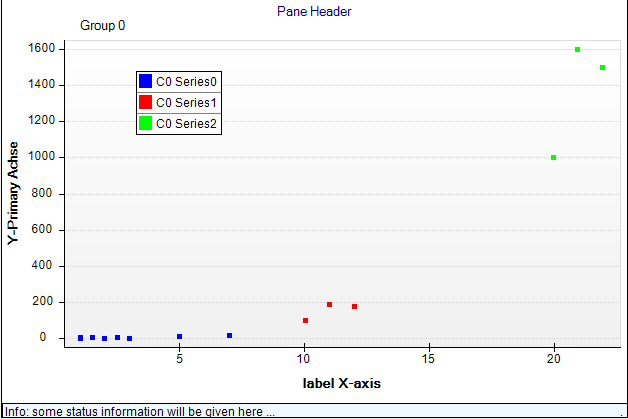
Unfortunatly, I cant change the footer label's width to fit the width of the chart. The code looks as follows:
/*----- ChartPane Footer -----*/
//Attn: refresh in ucMain is necessary!!! => _oChartPane._PaneFooter.Refresh();
m_ContainerPanel = new NDockPanel();
m_ContainerPanel.Location = new NPointL(new NLength(7, NRelativeUnit.ParentPercentage), new NLength(96, NRelativeUnit.ParentPercentage));
m_ContainerPanel.Size = new NSizeL(new NLength(100, NRelativeUnit.ParentPercentage), new NLength(5, NRelativeUnit.ParentPercentage));
m_ContainerPanel.DockMode = PanelDockMode.Bottom;
m_ContainerPanel.PositionChildPanelsInContentBounds = false;
_PaneFooter = new NLabel("Info: some status information will be given here ...");
_PaneFooter.DockMode = PanelDockMode.None; //alternativly: using Panels.AddFooter => doesnt work...
_PaneFooter.TextStyle.FontStyle = new NFontStyle("Arial", 10, FontStyle.Regular);
_PaneFooter.ContentAlignment = ContentAlignment.MiddleLeft; // BottomCenter; //MiddleLeft;
_PaneFooter.UseAutomaticSize = false;
_PaneFooter.Location = new NPointL(new NLength(100, NRelativeUnit.ParentPercentage), new NLength(85, NRelativeUnit.ParentPercentage));
_PaneFooter.Size = new NSizeL(new NLength(100, NRelativeUnit.ParentPercentage), new NLength(600, NGraphicsUnit.Pixel));
_PaneFooter.BoundsMode = BoundsMode.None; //fit doesnt work neither
_PaneFooter.FitMode = TitleFitMode.Clip;
_PaneFooter.TextStyle.BackplaneStyle.Visible = true;
_PaneFooter.TextStyle.BackplaneStyle.FillStyle = new NColorFillStyle(Color.AliceBlue); //new NGradientFillStyle(Color.LightGray, Color.LightGray);
_PaneFooter.Text = sMainPaneFooter;
m_ContainerPanel.ChildPanels.Add(_PaneFooter);
_NevronChart.Panels.Add(m_ContainerPanel);
I tried various settings with and without the ContainerPanel, the method .AddFooter etc - but with no luck so far. The main problem is, that the command _PaneFooter.Size = ... doesnt work at all, the result always is a centered label where the borders are fitted to the length of the text - it always looks like:
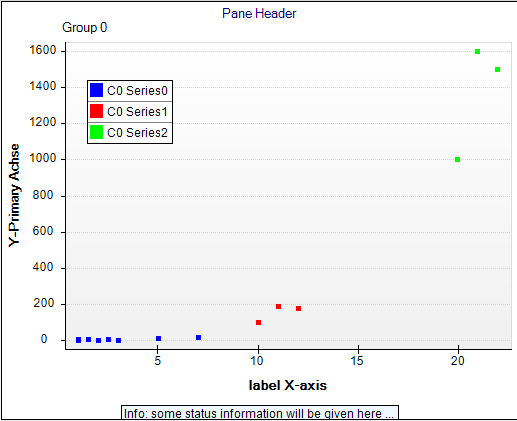
Is there a way to change just the width of the label?
If there isnt a way, it would be sufficient to force the clipping mode:
_PaneFooter.FitMode = TitleFitMode.Clip;
not to clip the text at both sides left and right but just at the right side.
Is there a way to achieve this?
By the way: I cant imagine any real case where it makes sense to clip the text at left and right side - usually the most important part of the label text is at the beginning - so imho it would be much better to clip only the right part of the text.
Thanks for your help!
Best regards,
Joern