You were correct. I was using a Bar Chart, Stacked Sub Type with a Categorical X Axis.
I changed it to the XY Scatter Stacked, Added the Date Field to the X Groupings for Value 0 (Not available in any other of the values, assuming that that one is used for all).
Set the Primary X axes Scale mode to Numeric then in Scale set the Sub Type to Date / Time, Formatting Mode fixed with the Lable format of MMM. And I now get a chart with the Month label on the bottom but no data.
I am using a list view filtered to show only 2015 values (I figured I'd fight the Range issue later, simply adding a start and end date in a date format or numerical (Days since 1/1/1900) format doesn't seem to work).
This is what it now looks like.
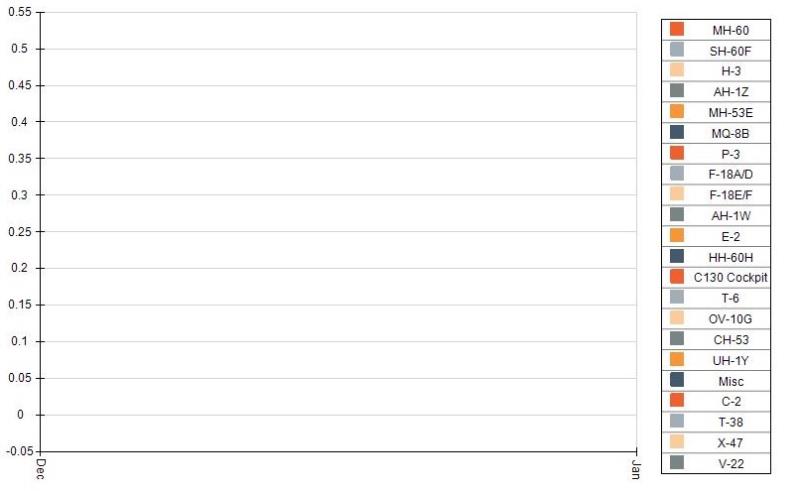
The data spans 1/2015 - 8/2015 yet it only shows Dec and Jan with no data. Not sure where I 'm going wrong here.
My Goal is to get something like this which I did in excel.
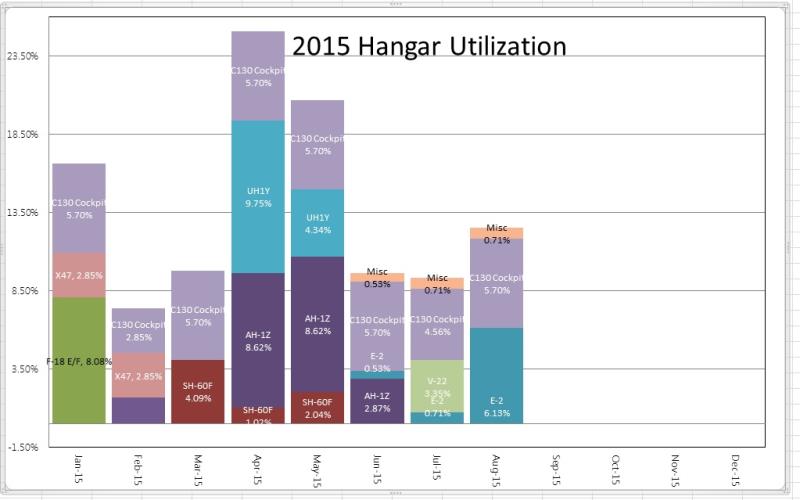
I've attached what I THINK is the relevant settings I'm using in a word doc.