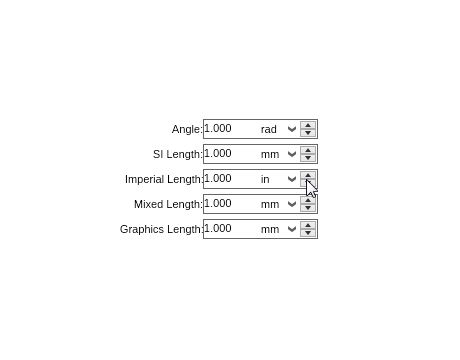
The .NET up-down controls in NOV User Interface allow the user to select a value from a specified range and generally consist of a widget. NOV provides 2 up down controls - numeric and measure up down.
Up-Downs Gallery
Up Downs
Up down widgets allows the user to select a value from a specified range and generally consist of a widget (e.g. a text box), which shows the current value and a spinner that the user can use to increase/decrease the current value.

 Open Vision for .NET
 NOV Chart for .NET
 NOV Diagram for .NET
 NOV Rich Text Editor for .NET
 NOV Grid for .NET
 NOV Schedule for .NET
 NOV Gauge for .NET
 NOV Barcode for .NET
 NOV User Interface for .NET
 Vision for .NET
 Chart for .NET
 Diagram for .NET
 User Interface for .NET
 Vision for SSRS
 Chart for SSRS
 Gauge for SSRS
 Map for SSRS
 Barcode for SSRS
 Vision for SharePoint
 Chart for SharePoint
 Gauge for SharePoint
 Map for SharePoint
 Barcode for SharePoint