Imports Nevron.Nov
Imports Nevron.Nov.Data
Imports Nevron.Nov.Dom
Imports Nevron.Nov.Editors
Imports Nevron.Nov.Graphics
Imports Nevron.Nov.Grid
Imports Nevron.Nov.Layout
Imports Nevron.Nov.UI
Imports Nevron.Nov.Windows.Forms
Imports System

Public Class Form1

#Region "Constructors"

    Public Sub New()
        ' This call is required by the designer.
        InitializeComponent()

        ' Add any initialization after the InitializeComponent() call.

        ' Set form title
        Text = "NOV WinForms - NTreeGridViewExample"

        ' Create the NOV example and its controls
        Dim exampleContent As NWidget = CreateExampleContent()
        Dim exampleControls As NWidget = CreateExampleControls()
        If Not exampleControls Is Nothing Then
            exampleControls.PreferredWidth = 300
        End If

        ' Place the example and its controls in a pair box
        Dim pairBox As NPairBox = New NPairBox(exampleContent, exampleControls)
        pairBox.FillMode = ENStackFillMode.First
        pairBox.FitMode = ENStackFitMode.First
        pairBox.Margins = New NMargins(NDesign.HorizontalSpacing, NDesign.VerticalSpacing)

        ' Host the example in the form
        Dim host As NNovWidgetHost(Of NWidget) = New NNovWidgetHost(Of NWidget)(pairBox)
        host.Dock = DockStyle.Fill
        Controls.Add(host)
    End Sub


#End Region

#Region "Example"

        Public Function CreateExampleContent() As NWidget
            ' create a hieararchical data table that represents a simple organization.
            Dim dataTable As NMemoryDataTable = New NMemoryDataTable(New NFieldInfo() {New NFieldInfo("Id", GetType(Integer)), New NFieldInfo("ParentId", GetType(Integer)), New NFieldInfo("Name", GetType(String)), New NFieldInfo("Job Title", GetType(ENJobTitle)), New NFieldInfo("Company", GetType(String))})

            Dim i = 0

            ' company 1
            dataTable.AddRow(0, -1, NDummyDataSource.PersonInfos(CInt(Math.Min(System.Threading.Interlocked.Increment(i), i - 1))).Name, ENJobTitle.President, NDummyDataSource.CompanyNames(0))
            dataTable.AddRow(1, 0, NDummyDataSource.PersonInfos(CInt(Math.Min(System.Threading.Interlocked.Increment(i), i - 1))).Name, ENJobTitle.VicePresident, NDummyDataSource.CompanyNames(0))
            dataTable.AddRow(2, 1, NDummyDataSource.PersonInfos(CInt(Math.Min(System.Threading.Interlocked.Increment(i), i - 1))).Name, ENJobTitle.SalesManager, NDummyDataSource.CompanyNames(0))
            dataTable.AddRow(3, 2, NDummyDataSource.PersonInfos(CInt(Math.Min(System.Threading.Interlocked.Increment(i), i - 1))).Name, ENJobTitle.SalesRepresentative, NDummyDataSource.CompanyNames(0))
            dataTable.AddRow(4, 2, NDummyDataSource.PersonInfos(CInt(Math.Min(System.Threading.Interlocked.Increment(i), i - 1))).Name, ENJobTitle.SalesRepresentative, NDummyDataSource.CompanyNames(0))
            dataTable.AddRow(5, 1, NDummyDataSource.PersonInfos(CInt(Math.Min(System.Threading.Interlocked.Increment(i), i - 1))).Name, ENJobTitle.LeadDevelop, NDummyDataSource.CompanyNames(0))
            dataTable.AddRow(6, 5, NDummyDataSource.PersonInfos(CInt(Math.Min(System.Threading.Interlocked.Increment(i), i - 1))).Name, ENJobTitle.SeniorDeveloper, NDummyDataSource.CompanyNames(0))
            dataTable.AddRow(7, 5, NDummyDataSource.PersonInfos(CInt(Math.Min(System.Threading.Interlocked.Increment(i), i - 1))).Name, ENJobTitle.SeniorDeveloper, NDummyDataSource.CompanyNames(0))

            ' company 2
            dataTable.AddRow(8, -1, NDummyDataSource.PersonInfos(CInt(Math.Min(System.Threading.Interlocked.Increment(i), i - 1))).Name, ENJobTitle.President, NDummyDataSource.CompanyNames(1))
            dataTable.AddRow(9, 8, NDummyDataSource.PersonInfos(CInt(Math.Min(System.Threading.Interlocked.Increment(i), i - 1))).Name, ENJobTitle.VicePresident, NDummyDataSource.CompanyNames(1))
            dataTable.AddRow(10, 9, NDummyDataSource.PersonInfos(CInt(Math.Min(System.Threading.Interlocked.Increment(i), i - 1))).Name, ENJobTitle.SalesManager, NDummyDataSource.CompanyNames(1))
            dataTable.AddRow(11, 10, NDummyDataSource.PersonInfos(CInt(Math.Min(System.Threading.Interlocked.Increment(i), i - 1))).Name, ENJobTitle.SalesRepresentative, NDummyDataSource.CompanyNames(1))
            dataTable.AddRow(12, 10, NDummyDataSource.PersonInfos(CInt(Math.Min(System.Threading.Interlocked.Increment(i), i - 1))).Name, ENJobTitle.SalesRepresentative, NDummyDataSource.CompanyNames(1))
            dataTable.AddRow(13, 10, NDummyDataSource.PersonInfos(CInt(Math.Min(System.Threading.Interlocked.Increment(i), i - 1))).Name, ENJobTitle.SalesRepresentative, NDummyDataSource.CompanyNames(1))
            dataTable.AddRow(14, 9, NDummyDataSource.PersonInfos(CInt(Math.Min(System.Threading.Interlocked.Increment(i), i - 1))).Name, ENJobTitle.LeadDevelop, NDummyDataSource.CompanyNames(1))
            dataTable.AddRow(15, 14, NDummyDataSource.PersonInfos(CInt(Math.Min(System.Threading.Interlocked.Increment(i), i - 1))).Name, ENJobTitle.SeniorDeveloper, NDummyDataSource.CompanyNames(1))
            dataTable.AddRow(16, 14, NDummyDataSource.PersonInfos(CInt(Math.Min(System.Threading.Interlocked.Increment(i), i - 1))).Name, ENJobTitle.SeniorDeveloper, NDummyDataSource.CompanyNames(1))
            dataTable.AddRow(17, 14, NDummyDataSource.PersonInfos(CInt(Math.Min(System.Threading.Interlocked.Increment(i), i - 1))).Name, ENJobTitle.SeniorDeveloper, NDummyDataSource.CompanyNames(1))

            ' create a tree grid view
            ' records are identified by the Id field.
            ' the parent of each record is specified by the ParentId field.
            m_TreeGridView = New NTreeGridView()
            m_TreeGridView.Grid.IdFieldName = "Id"
            m_TreeGridView.Grid.ParentIdFieldName = "ParentId"
            m_TreeGridView.Grid.DataSource = New NDataSource(dataTable)

            Return m_TreeGridView
        End Function
        Public Function CreateExampleControls() As NWidget
            Dim stack As NStackPanel = New NStackPanel()

            Dim editors = NDesigner.GetDesigner(m_TreeGridView.Grid).CreateMemberEditors(m_TreeGridView.Grid, NGrid.FrozenRowsProperty, NGrid.IntegralVScrollProperty)

            For i = 0 To editors.Count - 1
                stack.Add(editors(i))
            Next

            Return stack
        End Function
        Public Function GetExampleDescription() As String
            Return "

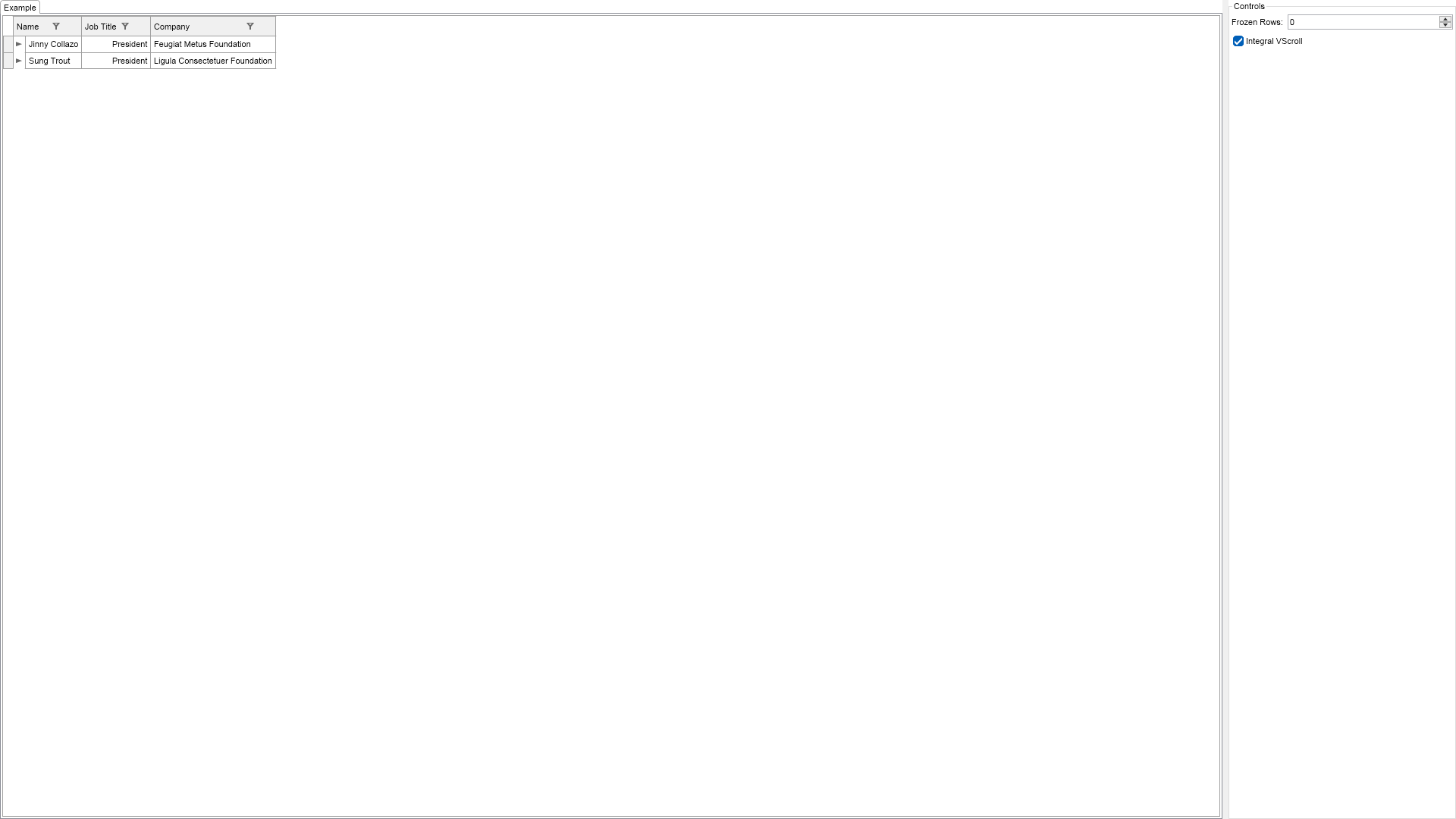
    Demonstrates the NTreeGridView and NTreeGrid


    The NTreeGridView represents a grid that displays hierarchical data from the data source.


The hierarchy is encoded in the data source with the help of two service fields:


    Id - uniquely identifies the records in the data source.


    ParentId - identifies the parent record of a specific record by Id.


Usually the service fields of the data source are not displayed by the Tree Grid as is the case in this example.

"
        End Function

        '''
        ''' Gets the relevant documentation links for the example
        '''
        '''
        Public Function GetDocumentationUrls() As (String, String)()
            Return {("Grid Self Referencing", "https://www.nevron.com/docs/openvision/grid-self-referencing.html"), ("Grid Data Processing Overview", "https://www.nevron.com/docs/openvision/grid-data-processing-overview.html"), ("Grid Rows", "https://www.nevron.com/docs/openvision/grid-rows.html"), ("Grid Data Binding and Column Generation", "https://www.nevron.com/docs/openvision/grid-data-binding-and-column-generation.html")}
        End Function

#End Region

#Region "Implementation"
#End Region

#Region "Event Handlers"
#End Region

#Region "Fields"

        Private m_TreeGridView As NTreeGridView

#End Region

#Region "Static Methods"
#End Region

#Region "Constants"
#End Region

#Region "Nested Types"
#End Region

End Class

 Chart for .NET
 Diagram for .NET
 User Interface for .NET
 Vision for SSRS
 Chart for SSRS
 Gauge for SSRS
 Map for SSRS
 Barcode for SSRS
 Vision for SharePoint
 Chart for SharePoint
 Gauge for SharePoint
 Map for SharePoint
 Barcode for SharePoint
 Open Vision for .NET


 Vision for .NET