Imports Nevron.Nov
Imports Nevron.Nov.Data
Imports Nevron.Nov.Dom
Imports Nevron.Nov.Graphics
Imports Nevron.Nov.Grid
Imports Nevron.Nov.Layout
Imports Nevron.Nov.UI
Imports Nevron.Nov.Windows.Forms
Imports System

Public Class Form1

#Region "Constructors"

    Public Sub New()
        ' This call is required by the designer.
        InitializeComponent()

        ' Add any initialization after the InitializeComponent() call.

        ' Set form title
        Text = "NOV WinForms - NNullValuesExample"

        ' Create the NOV example and its controls
        Dim exampleContent As NWidget = CreateExampleContent()
        Dim exampleControls As NWidget = CreateExampleControls()
        If Not exampleControls Is Nothing Then
            exampleControls.PreferredWidth = 300
        End If

        ' Place the example and its controls in a pair box
        Dim pairBox As NPairBox = New NPairBox(exampleContent, exampleControls)
        pairBox.FillMode = ENStackFillMode.First
        pairBox.FitMode = ENStackFitMode.First
        pairBox.Margins = New NMargins(NDesign.HorizontalSpacing, NDesign.VerticalSpacing)

        ' Host the example in the form
        Dim host As NNovWidgetHost(Of NWidget) = New NNovWidgetHost(Of NWidget)(pairBox)
        host.Dock = DockStyle.Fill
        Controls.Add(host)
    End Sub


#End Region

#Region "Example"

        Public Function CreateExampleContent() As NWidget
            ' create a memory data table that supports null values
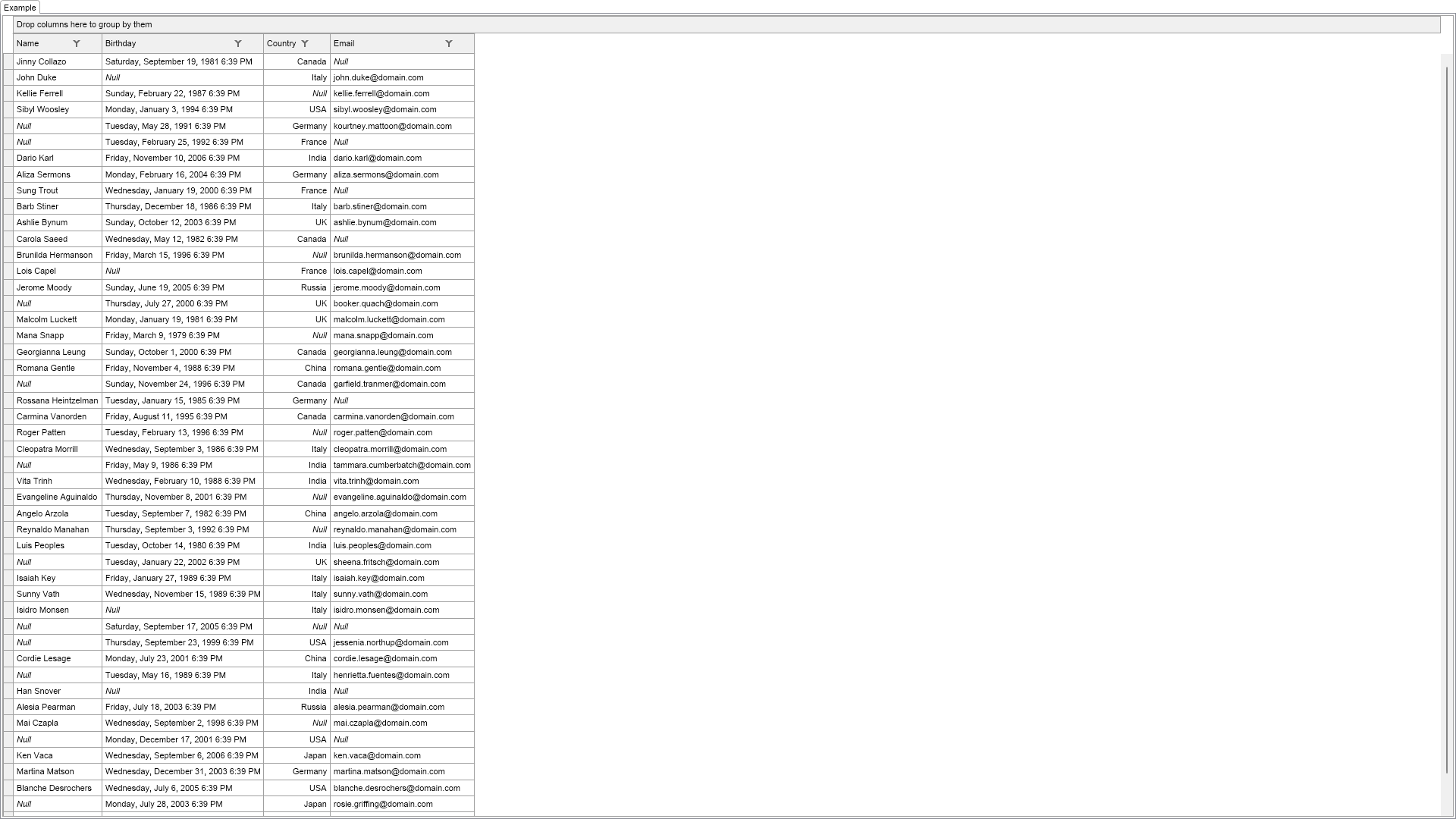
            Dim table As NMemoryDataTable = New NMemoryDataTable()
            table.AddField(New NFieldInfo("Name", GetType(String), True))
            table.AddField(New NFieldInfo("Birthday", GetType(Date), True))
            table.AddField(New NFieldInfo("Country", GetType(ENCountry), True))
            table.AddField(New NFieldInfo("Email", GetType(String), True))

            Dim rnd As Random = New Random()
            For i As Integer = 0 To NDummyDataSource.PersonInfos.Length - 1
                Dim personInfo As NDummyDataSource.NPersonInfo = NDummyDataSource.PersonInfos(i)

                Dim nullName = rnd.Next(8) = 1
                Dim nullBirthday = rnd.Next(8) = 2
                Dim nullCountry = rnd.Next(8) = 3
                Dim nullEmail = rnd.Next(8) = 4

                table.AddRow(If(nullName, Nothing, personInfo.Name), If(nullBirthday, Nothing, CObj(personInfo.Birthday)), If(nullCountry, Nothing, CObj(personInfo.Country)), If(nullEmail, Nothing, personInfo.Email))                  ' name
                ' birthday
                ' country
                ' email
            Next

            m_TableView = New NTableGridView()
            m_TableView.Grid.DataSource = New NDataSource(table)
            m_TableView.Grid.AllowEdit = True
            Return m_TableView
        End Function
        Public Function CreateExampleControls() As NWidget
            Return Nothing
        End Function
        Public Function GetExampleDescription() As String
            Return "

    Demonstrates the grid support for null values. Note that the grid also supports editing of null values.

"
        End Function

        '''
        ''' Gets the relevant documentation links for the example
        '''
        '''
        Public Function GetDocumentationUrls() As (String, String)()
            Return {("Grid Cells", "https://www.nevron.com/docs/openvision/grid-cells.html"), ("Grid Column Editors", "https://www.nevron.com/docs/openvision/grid-column-editors.html")}
        End Function

#End Region

#Region "Implementation"
#End Region

#Region "Event Handlers"
#End Region

#Region "Fields"

        Private m_TableView As NTableGridView

#End Region

#Region "Static Methods"
#End Region

#Region "Constants"
#End Region

#Region "Nested Types"
#End Region

End Class

 Chart for .NET
 Diagram for .NET
 User Interface for .NET
 Vision for SSRS
 Chart for SSRS
 Gauge for SSRS
 Map for SSRS
 Barcode for SSRS
 Vision for SharePoint
 Chart for SharePoint
 Gauge for SharePoint
 Map for SharePoint
 Barcode for SharePoint
 Open Vision for .NET


 Vision for .NET