Why Choose NOV Rich Text Editor for .NET?


Complete

Complete
Nevron Rich Text Editor for .NET is a fully featured text-processing solution that easily integrates into various .NET-based applications, including Blazor, WinForms, WPF, and Mac. The component provides a full feature set for document processing, conversion, and generation tasks, such as creating reports, invoices, and brochures.

You can also automate the control to implement interactive text-processing applications, such as embedded Word and HTML document preview and editing, chat applications, and Notepad- or WordPad-like applications that require rich-text editing capabilities.

Wide Variety of Supported Text Formats

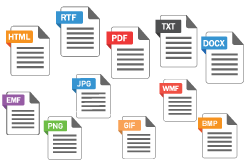
Supported Text Formats
The component supports importing from and exporting to all common text formats, including DOCX, HTML, RTF, and PDF. The document import and export functionality is implemented with attention to detail and is fully compatible with Microsoft Word, common browsers, and PDF readers.

Feature-Rich

Feature Rich 1
The component implements all the features expected from professional text-processing software. The control's DOM closely resembles that of Microsoft Word, with extensions that make it compatible with the HTML DOM. This makes it easy and familiar to work with documents in both formats. Some of the component's features include:
  • Complete control over paragraph-level formatting, including styling, font size, tab stops, line breaks, word and character spacing, line spacing, font style, and more.
  • Advanced table support, including merged rows and columns, table formatting, cell text orientation, and much more.
  • Multiple sections with different page sizes and section breaks.
  • Fields, hyperlinks, and mail merge support.
  • Support for scalable images in WMF, EMF, and EMF+ formats.
  • Bullet lists and multilevel bullet lists with many options.

This is just a short list of the component's features. For more information, please visit NOV Rich Text Editor for .NET Features

WYSIWYG and High-Resolution Compliant

wysiwg
Nevron Rich Text Editor is completely WYSIWYG. This means that generated documents in any supported export format, as well as printed editor content, look the same on the target medium—such as a PDF or printed page—as they do on the screen. Furthermore, the control is high-resolution compliant and works correctly on 4K, QHD, and other displays with different resolutions. The component also fully supports GPU-accelerated rendering and multiple-display configurations. This ensures that your application works correctly regardless of where it is deployed.

Cross-Platform and Secure

Cross Platform
The cross-platform component provides identical features, API, and performance across various application frameworks, including Blazor, WinForms, WPF, and Mac. The fully managed implementation of the entire text-processing stack ensures that the control meets the highest possible .NET security standards.

Easily Licensed

Licensing
The simple licensing model ensures that you get what you pay for. There is no obligation to pay subscription fees, and you can use the control indefinitely. The component also supports royalty-free deployment. If you wish to upgrade, we offer special discounts to existing customers. You can also opt in to our cost-effective upgrade subscription model to stay up to date.

Moreover, the control is available in different editions, so you do not pay for features you do not need.

Supported

Why Choose Supported
Our best-in-class support relies on direct contact with the software engineers who contributed to the component's implementation. This ensures that you receive accurate, professional answers that closely match the component's functionality. We also take great pride in our 24-hour response policy.

Documented

Documented 1
Nevron Rich Text Editor for .NET ships with an MSDN-style User’s Guide, Programmer’s Reference, and hundreds of examples for all supported platforms. The examples cover every aspect of the DOM and can serve as a quick way to create a proof-of-concept example, which can also be generated automatically through the built-in Export to Project feature.

Customer Quotes

  
I really like the fact that standard windows icons are provided with the NOV Ribbon example, avoiding the need to recreate the wheel and giving a more professional appearance. Using the provided Visual Studio NOV solution, it is fairly straightforward to add custom icons with a few extra simple steps. The gallery of C# examples for all controls makes it easy to create custom layouts. For the handful of customizations I could not find in the examples or user forums, the tech support responses got me going within a day.
  

Jay Wilson
K2realm, LLC