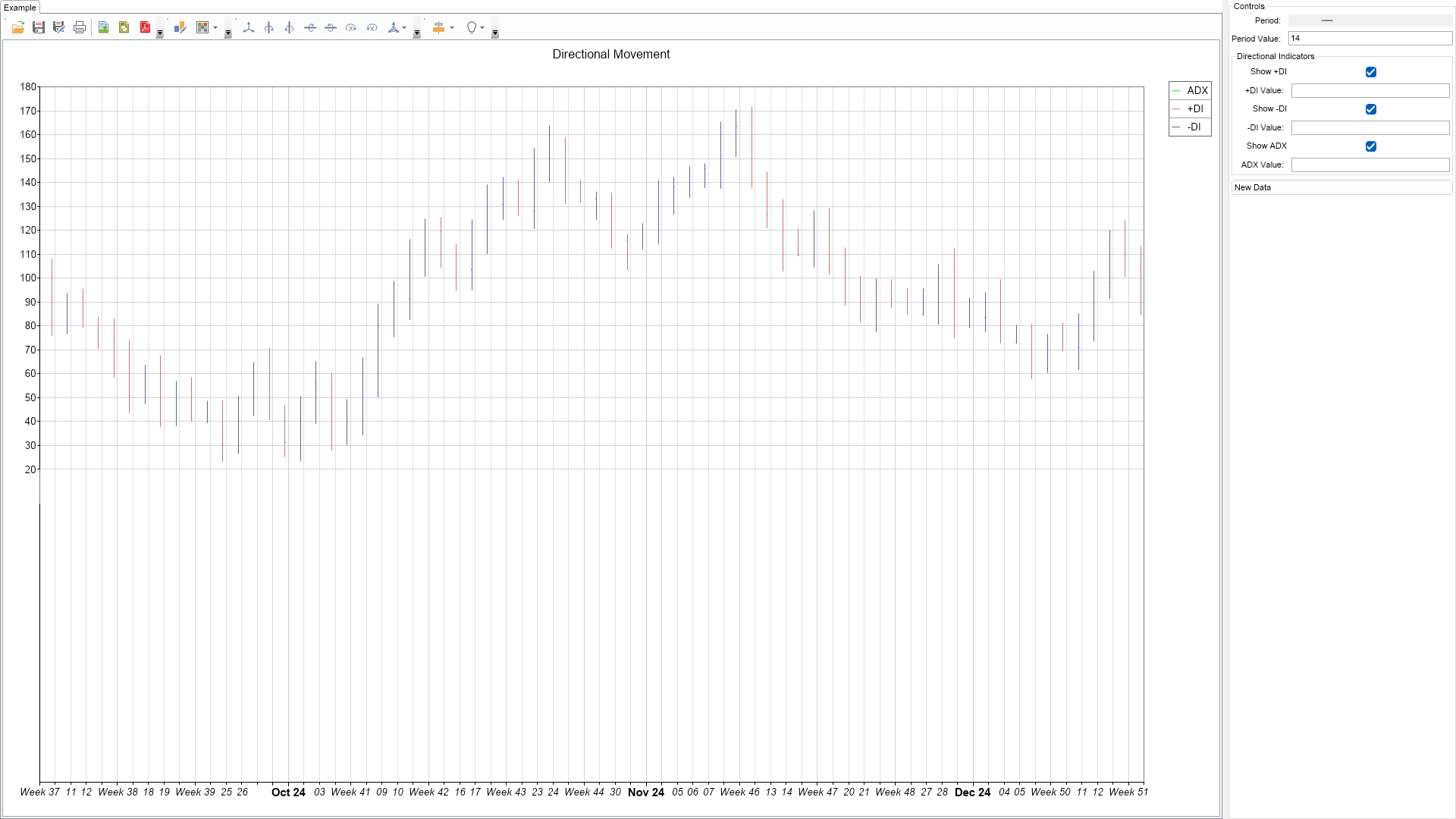
Directional Movement Example for WPF

Nevron NOV Chart for WPF ships with hundreds of examples with full source code, as part of the Nevron Open Vision Suite. All WPF Chart examples are also available as a stand-alone Visual Studio solution in C# and VB.NET, which you can download from the links below.

Directional Movement Example for WPF Description

The Directional Movement System consists of three lines:
The Positive Direction Indicator (+DI) summarizes upward trend movement;
The Negative Direction Indicator (-DI) summarizes downward trend movement;
The Average Directional Movement Index (ADX) indicates whether the market is trending or ranging.
Directional Movement Example

C# Directional Movement Example Code for Nevron Chart for WPF
Language: C#

using Nevron.Nov;
using Nevron.Nov.Chart;
using Nevron.Nov.Dom;
using Nevron.Nov.Formulas;
using Nevron.Nov.Graphics;
using Nevron.Nov.Layout;
using Nevron.Nov.UI;
using Nevron.Nov.Windows.Forms;
using System;
using System.Drawing;
using System.Text;
using System.Windows.Forms;

namespace NovWinFormsProject
{
	public partial class Form1 : Form
	{
		#region Constructors

		public Form1()
		{
			InitializeComponent();

			// Set form title
			Text = "NOV WinForms - NDirectionalMovementExample";

			// Create the NOV example and its controls
			NWidget exampleContent = CreateExampleContent();
			NWidget exampleControls = CreateExampleControls();
			if (exampleControls != null)
			{
				exampleControls.PreferredWidth = 300;
			}

			// Place the example and its controls in a pair box
			NPairBox pairBox = new NPairBox(exampleContent, exampleControls);
			pairBox.FillMode = ENStackFillMode.First;
			pairBox.FitMode = ENStackFitMode.First;
			pairBox.Margins = new NMargins(NDesign.HorizontalSpacing, NDesign.VerticalSpacing);

			// Host the example in the form
			NNovWidgetHost host = new NNovWidgetHost(pairBox);
			host.Dock = DockStyle.Fill;
			Controls.Add(host);
		}

		#endregion

		#region Example

		private NWidget CreateExampleContent()
		{
			return null;
		}
		private NWidget CreateExampleControls()
		{
			return null;
		}

		#endregion

		#region Implementation
		#endregion

		#region Event Handlers
		#endregion

        #region Fields

        private NCartesianChart m_Chart;
        private NStockSeries m_Stock;
        private NLineSeries m_LineDIPos;
        private NLineSeries m_LineDINeg;
        private NLineSeries m_LineADX;
        private NLabel label1;
        private NTextBox m_DIPosLabel;
        private NTextBox m_DINegLabel;
        private NTextBox m_ADXLabel;
        private NTextBox m_PeriodLabel;
        private NHScrollBar m_PeriodScroll;
        private NButton m_NewDataBtn;
        private NCheckBox m_ShowPosCheck;
        private NCheckBox m_ShowNegCheck;
        private NCheckBox m_ShowADXCheck;

        #endregion

		#region Static Methods
		#endregion

		#region Constants
		#endregion

		#region Nested Types
		#endregion
	}
}

Download a fully functional C# (.cs) Directional Movement Example for WPF Solution

VB.NET Directional Movement Example Code for Nevron Chart for WPF
Language: VB.NET

Imports Nevron.Nov
Imports Nevron.Nov.Chart
Imports Nevron.Nov.Dom
Imports Nevron.Nov.Formulas
Imports Nevron.Nov.Graphics
Imports Nevron.Nov.Layout
Imports Nevron.Nov.UI
Imports Nevron.Nov.Windows.Wpf
Imports System
Imports System.Text

Class MainWindow

#Region "Constructors"

	Public Sub New()
		' This call is required by the designer.
		InitializeComponent()

		' Add any initialization after the InitializeComponent() call.

		' Set form title
		Title = "NOV WPF - NDirectionalMovementExample"

		' Create the NOV example and its controls
		Dim exampleContent As NWidget = CreateExampleContent()
		Dim exampleControls As NWidget = CreateExampleControls()
		If Not exampleControls Is Nothing Then
			exampleControls.PreferredWidth = 300
		End If

		' Place the example and its controls in a pair box
		Dim pairBox As NPairBox = New NPairBox(exampleContent, exampleControls)
		pairBox.FillMode = ENStackFillMode.First
		pairBox.FitMode = ENStackFitMode.First
		pairBox.Margins = New NMargins(NDesign.HorizontalSpacing, NDesign.VerticalSpacing)

		' Host the example in the form
		Dim host As NNovWidgetHost(Of NWidget) = New NNovWidgetHost(Of NWidget)(pairBox)
		Content = host
	End Sub


#End Region

#Region "Example"

	Private Function CreateExampleControls() As NWidget
		Return Nothing
	End Function

	Private Function CreateExampleContent() As NWidget
		Return Nothing
	End Function

#End Region

#Region "Implementation"
#End Region

#Region "Event Handlers"
#End Region

#Region "Fields"

        Private m_Chart As NCartesianChart
        Private m_Stock As NStockSeries
        Private m_LineDIPos As NLineSeries
        Private m_LineDINeg As NLineSeries
        Private m_LineADX As NLineSeries
        Private label1 As NLabel
        Private m_DIPosLabel As NTextBox
        Private m_DINegLabel As NTextBox
        Private m_ADXLabel As NTextBox
        Private m_PeriodLabel As NTextBox
        Private m_PeriodScroll As NHScrollBar
        Private m_NewDataBtn As NButton
        Private m_ShowPosCheck As NCheckBox
        Private m_ShowNegCheck As NCheckBox
        Private m_ShowADXCheck As NCheckBox

#End Region

#Region "Static Methods"
#End Region

#Region "Constants"
#End Region

#Region "Nested Types"
#End Region

End Class

Download a fully functional VB.NET (.vb) Directional Movement Example for WPF Solution