
ProductsAll Products
.NET Components
 Open Vision for .NET
 NOV Chart for .NET
 NOV Diagram for .NET
 NOV Rich Text Editor for .NET
 NOV Grid for .NET
 NOV Schedule for .NET
 NOV Gauge for .NET
 NOV Barcode for .NET
 NOV User Interface for .NET
 Vision for .NET
 Chart for .NET
 Diagram for .NET
 User Interface for .NET
 Vision for SSRS
 Chart for SSRS
 Gauge for SSRS
 Map for SSRS
 Barcode for SSRS
 Vision for SharePoint
 Chart for SharePoint
 Gauge for SharePoint
 Map for SharePoint
 Barcode for SharePoint
DownloadsAll Downloads
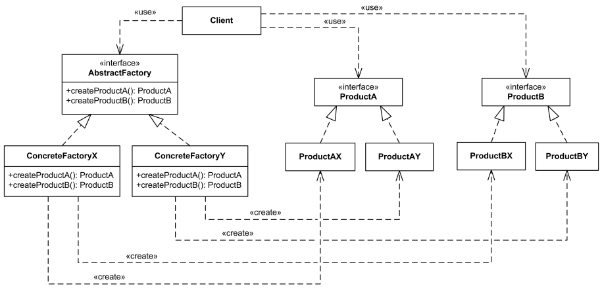
Accelerate technical documentation by automatically generating UML class diagrams directly from compiled .NET assemblies. This enables developers to instantly visualize codebase relationships, inheritance hierarchies, and dependencies without manual drawing.
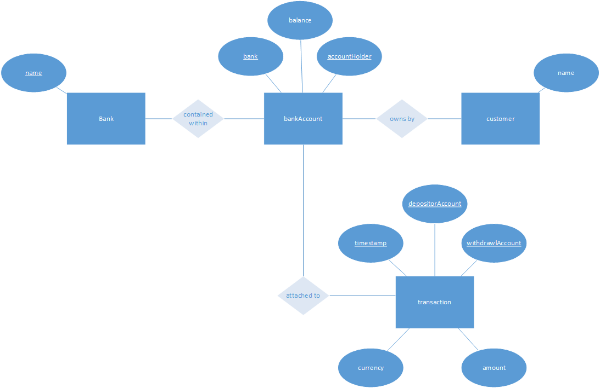
Effortlessly transform raw corporate data into structured visuals. The library features built-in capabilities to ingest graph and tree data structures, instantly turning relational data into interactive diagrams.
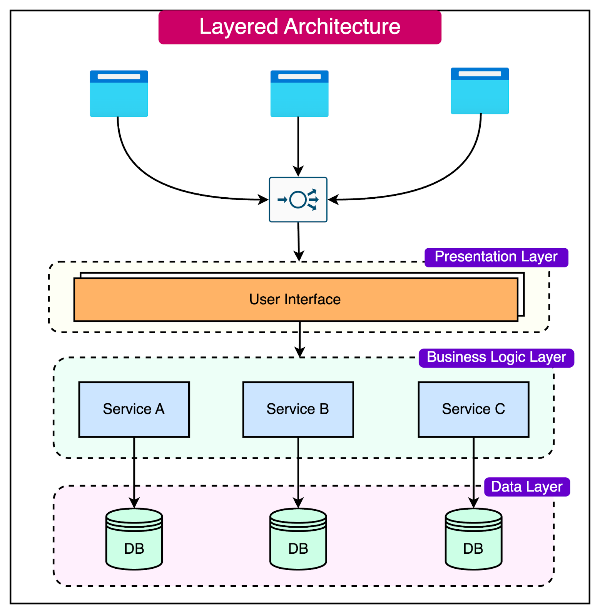
Ingest programmatic data structures effortlessly. The engine features native support for importing raw graph and tree data, making it incredibly simple to render complex system dependencies, call graphs, or hierarchical trees programmatically.
Eliminate the hassle of manual shape positioning. The library provides an advanced suite of automatic graph and tree layout algorithms that instantly organize scattered code entities, database tables, or network nodes into clean, readable, and perfectly balanced diagrams.
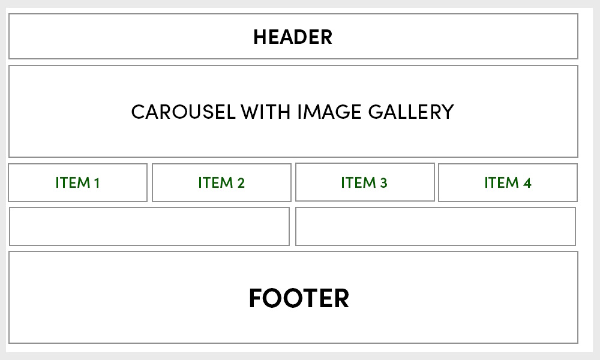
Provide users with a desktop-grade editing experience. Applications built with NOV Diagram for .NET feature a comprehensive toolset for manual diagram creation and editing, complete with seamless drag-and-drop mechanics, precise snapping, and smart connection routing.
Embed technical intelligence directly into your shapes. You can attach custom, editable data structures to any shape—such as specific database field properties or class access modifiers. This metadata is fully serialized alongside the visual shape, ensuring flawless state preservation and data binding.
Maximize code reuse across your entire ecosystem. Write your diagramming architecture once and deploy it natively across multiple presentation layers, using the exact same code to power desktop windows (WPF, WinForms) and web environments (Blazor WebAssembly).
Bridge the gap between development and project documentation. NOV Diagram for .NET powers MyDraw — a premium, commercial Visio alternative— allowing teams to view, edit, and collaborate on system architectures and technical diagrams directly inside Jira issues and Confluence pages.


