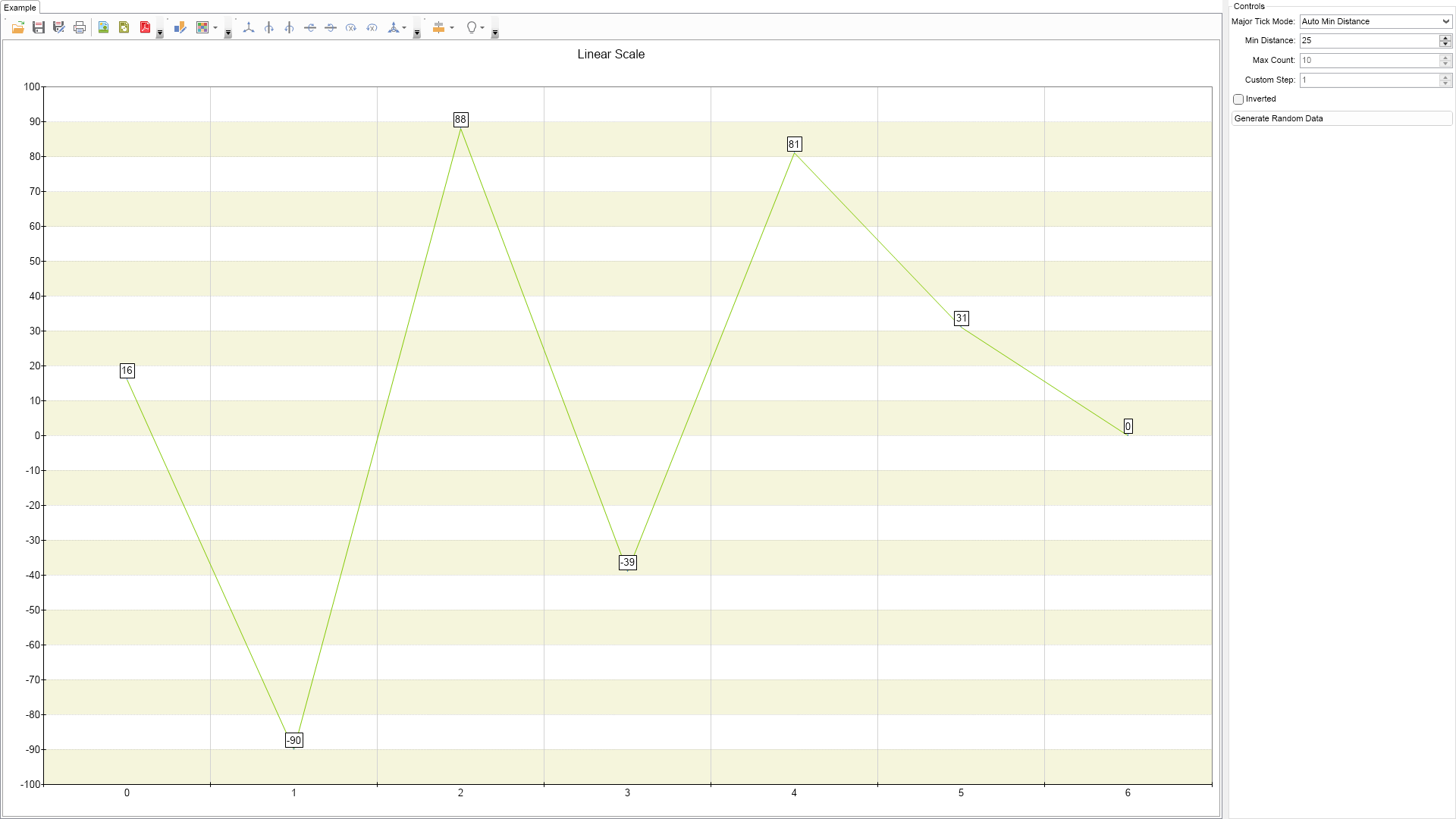
Linear Scale Example for WinForms

Nevron NOV Chart for WinForms ships with hundreds of examples with full source code, as part of the Nevron Open Vision Suite. All WinForms Chart examples are also available as a stand-alone Visual Studio solution in C# and VB.NET, which you can download from the links below.

Linear Scale Example for WinForms Description

This example demonstrates how to create a linear (numeric) scale.


Linear Scale Example

C# Linear Scale Example Code for Nevron Chart for WinForms
Language: C#

using Nevron.Nov;
using Nevron.Nov.Chart;
using Nevron.Nov.Dom;
using Nevron.Nov.Graphics;
using Nevron.Nov.Layout;
using Nevron.Nov.UI;
using Nevron.Nov.Windows.Forms;
using System;
using System.Windows.Forms;

namespace NovWinFormsProject
{
	public partial class Form1 : Form
	{
		#region Constructors

		public Form1()
		{
			InitializeComponent();

			// Set form title
			Text = "NOV WinForms - NLinearScaleExample";

			// Create the NOV example and its controls
			NWidget exampleContent = CreateExampleContent();
			NWidget exampleControls = CreateExampleControls();
			if (exampleControls != null)
			{
				exampleControls.PreferredWidth = 300;
			}

			// Place the example and its controls in a pair box
			NPairBox pairBox = new NPairBox(exampleContent, exampleControls);
			pairBox.FillMode = ENStackFillMode.First;
			pairBox.FitMode = ENStackFitMode.First;
			pairBox.Margins = new NMargins(NDesign.HorizontalSpacing, NDesign.VerticalSpacing);

			// Host the example in the form
			NNovWidgetHost host = new NNovWidgetHost(pairBox);
			host.Dock = DockStyle.Fill;
			Controls.Add(host);
		}

		#endregion

		#region Example

		public NWidget CreateExampleContent()
		{
			NChartViewWithCommandBars chartViewWithCommandBars = new NChartViewWithCommandBars();
			NChartView chartView = chartViewWithCommandBars.View;
			chartView.Surface.CreatePredefinedChart(ENPredefinedChartType.Cartesian);

			// configure title
			chartView.Surface.Titles[0].Text = "Linear Scale";

			// configure chart
			m_Chart = (NCartesianChart)chartView.Surface.Charts[0];

			// configure axes
			m_Chart.SetPredefinedCartesianAxes(ENPredefinedCartesianAxis.XOrdinalYLinear);
            m_Chart.SetPredefinedInteractor(ENPredefinedInteractor.DataZoomingAndScrolling);

            // configure the y axis
            NLinearScale linearScale = (NLinearScale)m_Chart.Axes[ENCartesianAxis.PrimaryY].Scale;

            m_Chart.Axes[ENCartesianAxis.PrimaryY].MinViewRangeValue = (double)-100;
            m_Chart.Axes[ENCartesianAxis.PrimaryY].MaxViewRangeValue = (double)100;
            m_Chart.Axes[ENCartesianAxis.PrimaryY].ViewRangeMode = ENAxisViewRangeMode.FixedRange;

			NScaleGridLines majorGrid = new NScaleGridLines();
			majorGrid.Stroke = new NStroke(1, NColor.DarkGray, ENDashStyle.Dot);
			linearScale.MajorGridLines = majorGrid;

			// add a strip line style
			NScaleStrip strip = new NScaleStrip();
			strip.Fill = new NColorFill(NColor.Beige);
			strip.Interlaced = true;
			linearScale.Strips.Add(strip);

			NLineSeries line = new NLineSeries();
			m_Chart.Series.Add(line);

			Random random = new Random();
			for (int i = 0; i < 7; i++)
			{
				line.DataPoints.Add(new NLineDataPoint(random.Next(-100, 100)));
			}

			line.LegendView.Mode = ENSeriesLegendMode.None;
			line.InflateMargins = true;

			// assign marker
			NMarkerStyle markerStyle = new NMarkerStyle();

			markerStyle.Visible = true;
			markerStyle.Shape = ENPointShape3D.Ellipse;
			markerStyle.Size = new NSize(6, 6);

			line.MarkerStyle = markerStyle;

			// assign data label style
			NDataLabelStyle dataLabelStyle = new NDataLabelStyle();

			dataLabelStyle.Format = "";
			dataLabelStyle.ArrowStroke.Color = NColor.CornflowerBlue;

			line.DataLabelStyle = dataLabelStyle;

			chartView.Document.StyleSheets.ApplyTheme(new NChartTheme(ENChartPalette.Bright, ENChartPaletteTarget.Series));

			return chartViewWithCommandBars;
		}
		public NWidget CreateExampleControls()
		{
			NStackPanel stack = new NStackPanel();
			NUniSizeBoxGroup boxGroup = new NUniSizeBoxGroup(stack);

			m_MajorTickModeComboBox = new NComboBox();
			m_MajorTickModeComboBox.Items.FillFromEnum();
			m_MajorTickModeComboBox.SelectedIndexChanged += OnMajorTickModeComboBoxSelectedIndexChanged;
			stack.Add(NPairBox.Create("Major Tick Mode:", m_MajorTickModeComboBox));

			m_MinDistanceUpDown = new NNumericUpDown();
			m_MinDistanceUpDown.ValueChanged += OnMinDistanceUpDownValueChanged;
			stack.Add(NPairBox.Create("Min Distance:", m_MinDistanceUpDown));
			m_MinDistanceUpDown.Value = 25;

			m_MaxCountNumericUpDown = new NNumericUpDown();
			m_MaxCountNumericUpDown.ValueChanged += OnMaxCountNumericUpDownValueChanged;
			stack.Add(NPairBox.Create("Max Count:", m_MaxCountNumericUpDown));
			m_MaxCountNumericUpDown.Value = 10;
			
			m_CustomStepUpDown = new NNumericUpDown();
			m_CustomStepUpDown.ValueChanged += OnCustomStepUpDownValueChanged;
			stack.Add(NPairBox.Create("Custom Step:", m_CustomStepUpDown));
			m_CustomStepUpDown.Value = 1;

			NCheckBox invertedCheckBox = new NCheckBox("Inverted");
			invertedCheckBox.CheckedChanged += OnInvertedCheckBoxCheckedChanged;
			invertedCheckBox.Checked = false;
			stack.Add(invertedCheckBox);

			NButton generateRandomDataButton = new NButton("Generate Random Data");
			generateRandomDataButton.Click += OnGenerateRandomDataButtonClick;
			stack.Add(generateRandomDataButton);

			m_MajorTickModeComboBox.SelectedIndex = (int)ENMajorTickMode.AutoMinDistance;
			OnMajorTickModeComboBoxSelectedIndexChanged(null);
			
			return boxGroup;
		}
		public string GetExampleDescription()
		{
			return @"

This example demonstrates how to create a linear (numeric) scale.

"; } /// /// Gets the relevant documentation links for the example /// /// public (string Name, string Url)[] GetDocumentationUrls() { return new[] { ("Linear Scale", "https://www.nevron.com/docs/openvision/linear-scale.html"), ("Scales Overview", "https://www.nevron.com/docs/openvision/scales-overview.html"), }; } #endregion #region Implementation #endregion #region Event Handlers void OnInvertedCheckBoxCheckedChanged(NValueChangeEventArgs arg) { ((NLinearScale)m_Chart.Axes[ENCartesianAxis.PrimaryY].Scale).Invert = ((NCheckBox)arg.TargetNode).Checked; } void OnGenerateRandomDataButtonClick(NEventArgs arg) { NLineSeries line = (NLineSeries)m_Chart.Series[0]; line.DataPoints.Clear(); Random random = new Random(); for (int i = 0; i < 10; i++) { line.DataPoints.Add(new NLineDataPoint(random.Next(100))); } } void OnCustomStepUpDownValueChanged(NValueChangeEventArgs arg) { ((NLinearScale)m_Chart.Axes[ENCartesianAxis.PrimaryY].Scale).CustomStep = ((NNumericUpDown)arg.TargetNode).Value; } void OnMinDistanceUpDownValueChanged(NValueChangeEventArgs arg) { ((NLinearScale)m_Chart.Axes[ENCartesianAxis.PrimaryY].Scale).MinTickDistance = (int)((NNumericUpDown)arg.TargetNode).Value; } void OnMaxCountNumericUpDownValueChanged(NValueChangeEventArgs arg) { ((NLinearScale)m_Chart.Axes[ENCartesianAxis.PrimaryY].Scale).MaxTickCount = (int)((NNumericUpDown)arg.TargetNode).Value; } void OnMajorTickModeComboBoxSelectedIndexChanged(NValueChangeEventArgs arg) { ENMajorTickMode majorTickMode = (ENMajorTickMode)m_MajorTickModeComboBox.SelectedIndex; m_MaxCountNumericUpDown.Enabled = majorTickMode == ENMajorTickMode.AutoMaxCount; m_MinDistanceUpDown.Enabled = majorTickMode == ENMajorTickMode.AutoMinDistance; m_CustomStepUpDown.Enabled = majorTickMode == ENMajorTickMode.CustomStep; ((NLinearScale)m_Chart.Axes[ENCartesianAxis.PrimaryY].Scale).MajorTickMode = majorTickMode; } #endregion #region Fields NCartesianChart m_Chart; NComboBox m_MajorTickModeComboBox; NNumericUpDown m_MaxCountNumericUpDown; NNumericUpDown m_MinDistanceUpDown; NNumericUpDown m_CustomStepUpDown; #endregion #region Static Methods #endregion #region Constants #endregion #region Nested Types #endregion } }

Download a fully functional C# (.cs) Linear Scale Example for WinForms Solution

VB.NET Linear Scale Example Code for Nevron Chart for WinForms
Language: VB.NET

Imports Nevron.Nov
Imports Nevron.Nov.Chart
Imports Nevron.Nov.Dom
Imports Nevron.Nov.Graphics
Imports Nevron.Nov.Layout
Imports Nevron.Nov.UI
Imports Nevron.Nov.Windows.Forms
Imports System

Public Class Form1

#Region "Constructors"

    Public Sub New()
        ' This call is required by the designer.
        InitializeComponent()

        ' Add any initialization after the InitializeComponent() call.

        ' Set form title
        Text = "NOV WinForms - NLinearScaleExample"

        ' Create the NOV example and its controls
        Dim exampleContent As NWidget = CreateExampleContent()
        Dim exampleControls As NWidget = CreateExampleControls()
        If Not exampleControls Is Nothing Then
            exampleControls.PreferredWidth = 300
        End If

        ' Place the example and its controls in a pair box
        Dim pairBox As NPairBox = New NPairBox(exampleContent, exampleControls)
        pairBox.FillMode = ENStackFillMode.First
        pairBox.FitMode = ENStackFitMode.First
        pairBox.Margins = New NMargins(NDesign.HorizontalSpacing, NDesign.VerticalSpacing)

        ' Host the example in the form
        Dim host As NNovWidgetHost(Of NWidget) = New NNovWidgetHost(Of NWidget)(pairBox)
        host.Dock = DockStyle.Fill
        Controls.Add(host)
    End Sub


#End Region

#Region "Example"

        Public Function CreateExampleContent() As NWidget
            Dim chartViewWithCommandBars As NChartViewWithCommandBars = New NChartViewWithCommandBars()
            Dim chartView = chartViewWithCommandBars.View
            chartView.Surface.CreatePredefinedChart(ENPredefinedChartType.Cartesian)

            ' configure title
            chartView.Surface.Titles(0).Text = "Linear Scale"

            ' configure chart
            m_Chart = CType(chartView.Surface.Charts(0), NCartesianChart)

            ' configure axes
            m_Chart.SetPredefinedCartesianAxes(ENPredefinedCartesianAxis.XOrdinalYLinear)
            m_Chart.SetPredefinedInteractor(ENPredefinedInteractor.DataZoomingAndScrolling)

            ' configure the y axis
            Dim linearScale As NLinearScale = m_Chart.Axes(ENCartesianAxis.PrimaryY).Scale

            m_Chart.Axes(ENCartesianAxis.PrimaryY).MinViewRangeValue = CDbl(-100)
            m_Chart.Axes(ENCartesianAxis.PrimaryY).MaxViewRangeValue = CDbl(100)
            m_Chart.Axes(ENCartesianAxis.PrimaryY).ViewRangeMode = ENAxisViewRangeMode.FixedRange

            Dim majorGrid As NScaleGridLines = New NScaleGridLines()
            majorGrid.Stroke = New NStroke(1, NColor.DarkGray, ENDashStyle.Dot)
            linearScale.MajorGridLines = majorGrid

            ' add a strip line style
            Dim strip As NScaleStrip = New NScaleStrip()
            strip.Fill = New NColorFill(NColor.Beige)
            strip.Interlaced = True
            linearScale.Strips.Add(strip)

            Dim line As NLineSeries = New NLineSeries()
            m_Chart.Series.Add(line)

            Dim random As Random = New Random()
            For i = 0 To 6
                line.DataPoints.Add(New NLineDataPoint(random.Next(-100, 100)))
            Next

            line.LegendView.Mode = ENSeriesLegendMode.None
            line.InflateMargins = True

            ' assign marker
            Dim markerStyle As NMarkerStyle = New NMarkerStyle()

            markerStyle.Visible = True
            markerStyle.Shape = ENPointShape3D.Ellipse
            markerStyle.Size = New NSize(6, 6)

            line.MarkerStyle = markerStyle

            ' assign data label style
            Dim dataLabelStyle As NDataLabelStyle = New NDataLabelStyle()

            dataLabelStyle.Format = ""
            dataLabelStyle.ArrowStroke.Color = NColor.CornflowerBlue

            line.DataLabelStyle = dataLabelStyle

            chartView.Document.StyleSheets.ApplyTheme(New NChartTheme(ENChartPalette.Bright, ENChartPaletteTarget.Series))

            Return chartViewWithCommandBars
        End Function
        Public Function CreateExampleControls() As NWidget
            Dim stack As NStackPanel = New NStackPanel()
            Dim boxGroup As NUniSizeBoxGroup = New NUniSizeBoxGroup(stack)

            m_MajorTickModeComboBox = New NComboBox()
            m_MajorTickModeComboBox.Items.FillFromEnum(Of ENMajorTickMode)()
            Me.m_MajorTickModeComboBox.SelectedIndexChanged += AddressOf OnMajorTickModeComboBoxSelectedIndexChanged
            stack.Add(NPairBox.Create("Major Tick Mode:", m_MajorTickModeComboBox))

            m_MinDistanceUpDown = New NNumericUpDown()
            Me.m_MinDistanceUpDown.ValueChanged += AddressOf OnMinDistanceUpDownValueChanged
            stack.Add(NPairBox.Create("Min Distance:", m_MinDistanceUpDown))
            m_MinDistanceUpDown.Value = 25

            m_MaxCountNumericUpDown = New NNumericUpDown()
            Me.m_MaxCountNumericUpDown.ValueChanged += AddressOf OnMaxCountNumericUpDownValueChanged
            stack.Add(NPairBox.Create("Max Count:", m_MaxCountNumericUpDown))
            m_MaxCountNumericUpDown.Value = 10

            m_CustomStepUpDown = New NNumericUpDown()
            Me.m_CustomStepUpDown.ValueChanged += AddressOf OnCustomStepUpDownValueChanged
            stack.Add(NPairBox.Create("Custom Step:", m_CustomStepUpDown))
            m_CustomStepUpDown.Value = 1

            Dim invertedCheckBox As NCheckBox = New NCheckBox("Inverted")
            invertedCheckBox.CheckedChanged += AddressOf OnInvertedCheckBoxCheckedChanged
            invertedCheckBox.Checked = False
            stack.Add(invertedCheckBox)

            Dim generateRandomDataButton As NButton = New NButton("Generate Random Data")
            generateRandomDataButton.Click += AddressOf OnGenerateRandomDataButtonClick
            stack.Add(generateRandomDataButton)

            m_MajorTickModeComboBox.SelectedIndex = CInt(ENMajorTickMode.AutoMinDistance)
            OnMajorTickModeComboBoxSelectedIndexChanged(Nothing)

            Return boxGroup
        End Function
        Public Function GetExampleDescription() As String
            Return "

This example demonstrates how to create a linear (numeric) scale.

" End Function ''' ''' Gets the relevant documentation links for the example ''' ''' Public Function GetDocumentationUrls() As (String, String)() Return {("Linear Scale", "https://www.nevron.com/docs/openvision/linear-scale.html"), ("Scales Overview", "https://www.nevron.com/docs/openvision/scales-overview.html")} End Function #End Region #Region "Implementation" #End Region #Region "Event Handlers" Private Sub OnInvertedCheckBoxCheckedChanged(arg As NValueChangeEventArgs) CType(m_Chart.Axes(ENCartesianAxis.PrimaryY).Scale, NLinearScale).Invert = CType(arg.TargetNode, NCheckBox).Checked End Sub Private Sub OnGenerateRandomDataButtonClick(arg As NEventArgs) Dim line = CType(m_Chart.Series(0), NLineSeries) line.DataPoints.Clear() Dim random As Random = New Random() For i = 0 To 9 line.DataPoints.Add(New NLineDataPoint(random.Next(100))) Next End Sub Private Sub OnCustomStepUpDownValueChanged(arg As NValueChangeEventArgs) CType(m_Chart.Axes(ENCartesianAxis.PrimaryY).Scale, NLinearScale).CustomStep = CType(arg.TargetNode, NNumericUpDown).Value End Sub Private Sub OnMinDistanceUpDownValueChanged(arg As NValueChangeEventArgs) CType(m_Chart.Axes(ENCartesianAxis.PrimaryY).Scale, NLinearScale).MinTickDistance = CInt(CType(arg.TargetNode, NNumericUpDown).Value) End Sub Private Sub OnMaxCountNumericUpDownValueChanged(arg As NValueChangeEventArgs) CType(m_Chart.Axes(ENCartesianAxis.PrimaryY).Scale, NLinearScale).MaxTickCount = CInt(CType(arg.TargetNode, NNumericUpDown).Value) End Sub Private Sub OnMajorTickModeComboBoxSelectedIndexChanged(arg As NValueChangeEventArgs) Dim majorTickMode As ENMajorTickMode = m_MajorTickModeComboBox.SelectedIndex m_MaxCountNumericUpDown.Enabled = majorTickMode Is ENMajorTickMode.AutoMaxCount m_MinDistanceUpDown.Enabled = majorTickMode Is ENMajorTickMode.AutoMinDistance m_CustomStepUpDown.Enabled = majorTickMode Is ENMajorTickMode.CustomStep CType(m_Chart.Axes(ENCartesianAxis.PrimaryY).Scale, NLinearScale).MajorTickMode = majorTickMode End Sub #End Region #Region "Fields" Private m_Chart As NCartesianChart Private m_MajorTickModeComboBox As NComboBox Private m_MaxCountNumericUpDown As NNumericUpDown Private m_MinDistanceUpDown As NNumericUpDown Private m_CustomStepUpDown As NNumericUpDown #End Region #Region "Static Methods" #End Region #Region "Constants" #End Region #Region "Nested Types" #End Region End Class

Download a fully functional VB.NET (.vb) Linear Scale Example for WinForms Solution

Related Documentation Links