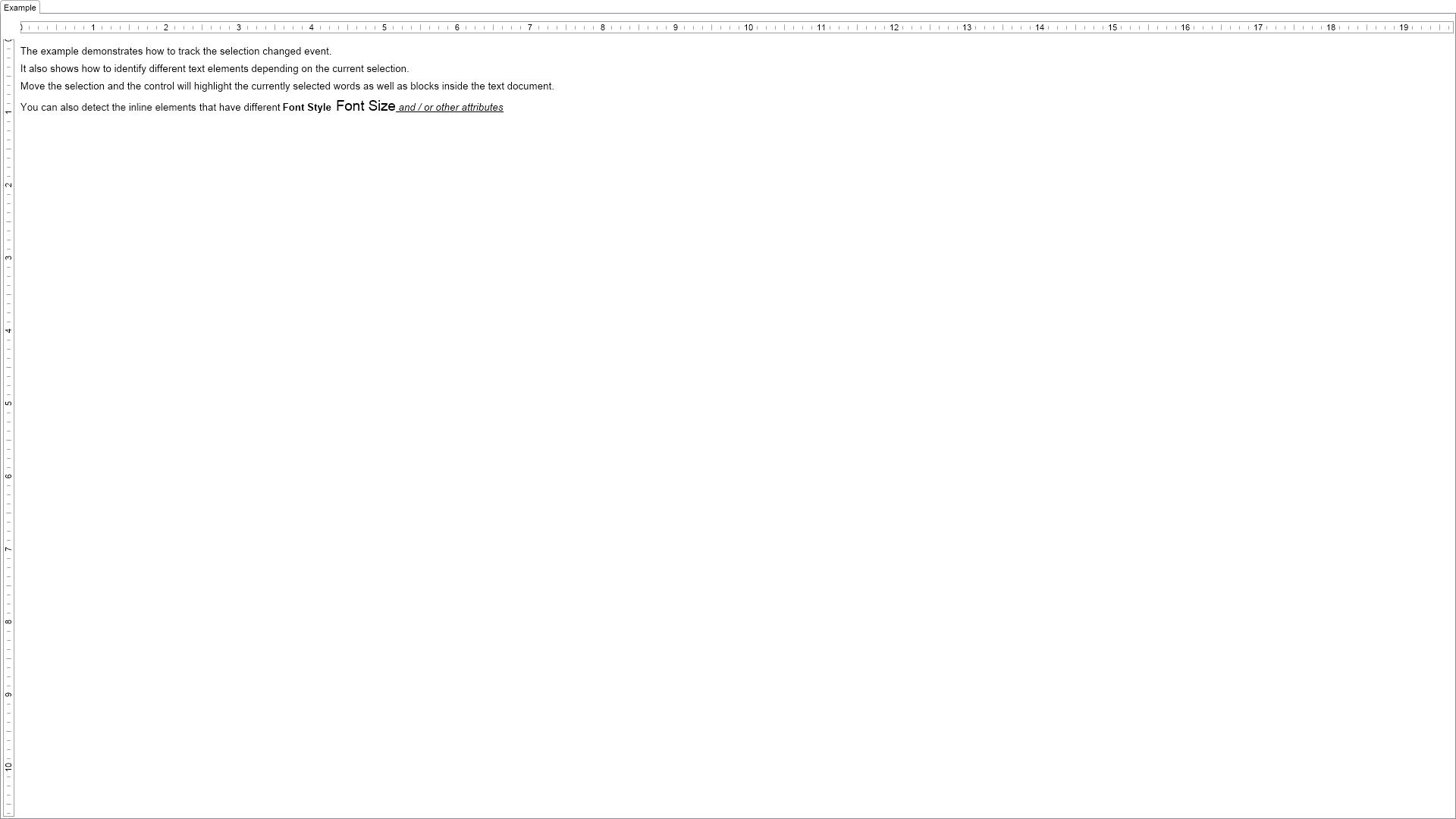
The example demonstrates how to track the selection changed event as well as how to query the selection object.

| Language: C# |
using Nevron.Nov;
using Nevron.Nov.DataStructures;
using Nevron.Nov.Dom;
using Nevron.Nov.Graphics;
using Nevron.Nov.Layout;
using Nevron.Nov.Text;
using Nevron.Nov.UI;
using Nevron.Nov.Windows.Forms;
using System.Windows.Forms;
namespace NovWinFormsProject
{
public partial class Form1 : Form
{
#region Constructors
public Form1()
{
InitializeComponent();
// Set form title
Text = "NOV WinForms - NSelectionChangedExample";
// Create the NOV example and its controls
NWidget exampleContent = CreateExampleContent();
NWidget exampleControls = CreateExampleControls();
if (exampleControls != null)
{
exampleControls.PreferredWidth = 300;
}
// Place the example and its controls in a pair box
NPairBox pairBox = new NPairBox(exampleContent, exampleControls);
pairBox.FillMode = ENStackFillMode.First;
pairBox.FitMode = ENStackFitMode.First;
pairBox.Margins = new NMargins(NDesign.HorizontalSpacing, NDesign.VerticalSpacing);
// Host the example in the form
NNovWidgetHost host = new NNovWidgetHost(pairBox);
host.Dock = DockStyle.Fill;
Controls.Add(host);
}
#endregion
#region Example
public NWidget CreateExampleContent()
{
// Create the rich text
m_RichText = new NRichTextView();
m_RichText.AcceptsTab = true;
m_RichText.Content.Sections.Clear();
NSection section = new NSection();
section.Blocks.Add(new NParagraph("The example demonstrates how to track the selection changed event."));
section.Blocks.Add(new NParagraph("It also shows how to identify different text elements depending on the current selection."));
section.Blocks.Add(new NParagraph("Move the selection and the control will highlight the currently selected words as well as blocks inside the text document."));
NParagraph paragraph = new NParagraph();
paragraph.Inlines.Add(new NTextInline("You can also detect the inline elements "));
NTextInline inline1 = new NTextInline("that have different");
paragraph.Inlines.Add(inline1);
NTextInline inline2 = new NTextInline(" Font Style");
inline2.FontStyle = ENFontStyle.Bold;
paragraph.Inlines.Add(inline2);
NTextInline inline3 = new NTextInline(" Font Size");
inline3.FontSize = 14;
paragraph.Inlines.Add(inline3);
NTextInline inline4 = new NTextInline(" and / or other attributes");
inline4.FontStyle = ENFontStyle.Italic | ENFontStyle.Underline;
paragraph.Inlines.Add(inline4);
section.Blocks.Add(paragraph);
m_RichText.Content.Sections.Add(section);
m_RichText.Content.Layout = ENTextLayout.Web;
m_RichText.Selection.SelectionChanged += Selection_SelectionChanged;
return m_RichText;
}
private void Selection_SelectionChanged(NEventArgs arg)
{
ClearHighlights();
// highlight selected blocks
NList selectedBlocks = m_RichText.Selection.GetSelectedBlocks();
for (int i = 0; i < selectedBlocks.Count; i++)
{
selectedBlocks[i].BackgroundFill = new NColorFill(NColor.LightBlue);
}
NList selectedInlines = m_RichText.Selection.GetSelectedInlines(false);
for (int i = 0; i < selectedInlines.Count; i++)
{
selectedInlines[i].BackgroundHighlightFill = new NColorFill(NColor.FromColor(NColor.Yellow, 125));
}
}
public NWidget CreateExampleControls()
{
return null;
}
public string GetExampleDescription()
{
return @"The example demonstrates how to track the selection changed event as well as how to query the selection object.
";
}
///
/// Gets the relevant documentation links for the example
///
///
public (string Name, string Url)[] GetDocumentationUrls()
{
return new[]
{
("Rich Text Documents - Selection", "https://www.nevron.com/docs/openvision/rich-text-documents-selection.html"),
("Rich Text Range Elements", "https://www.nevron.com/docs/openvision/rich-text-range-elements.html"),
};
}
#endregion
#region Implementation
private void ClearHighlights()
{
NList blocks = m_RichText.Document.GetDescendants(NBlock.NBlockSchema);
for (int i = 0; i < blocks.Count; i++)
{
((NBlock)blocks[i]).BackgroundFill = null;
}
NList inlines = m_RichText.Document.GetDescendants(NInline.NInlineSchema);
for (int i = 0; i < inlines.Count; i++)
{
((NInline)inlines[i]).BackgroundHighlightFill = null;
}
}
#endregion
#region Event Handlers
#endregion
#region Fields
private NRichTextView m_RichText;
#endregion
#region Static Methods
#endregion
#region Constants
#endregion
#region Nested Types
#endregion
}
}