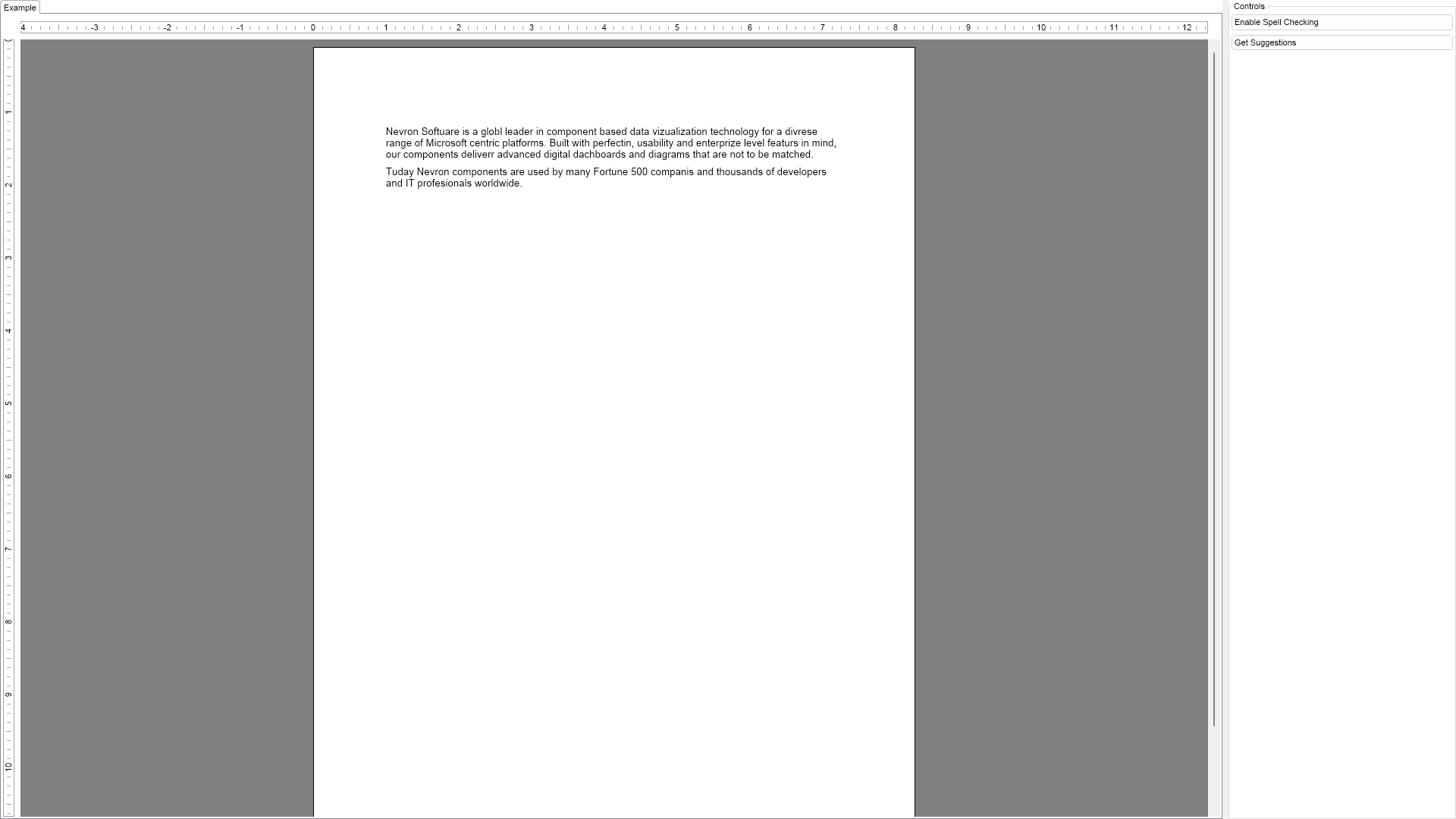
Spell Check Example for Blazor

Nevron NOV RichTextEditor for Blazor ships with hundreds of examples with full source code, as part of the Nevron Open Vision Suite. All Blazor RichTextEditor examples are also available as a stand-alone Visual Studio solution in C#, which you can download from the links below.

Spell Check Example for Blazor Description

The example demonstrates the built in spell checker functionality.


Spell Check Example

C# Spell Check Example Code for Nevron RichTextEditor for Blazor
Language: C#

using Nevron.Nov;
using Nevron.Nov.DataStructures;
using Nevron.Nov.Dom;
using Nevron.Nov.Graphics;
using Nevron.Nov.Layout;
using Nevron.Nov.Text;
using Nevron.Nov.UI;
using Nevron.Nov.Windows.Forms;
using System.Collections.Generic;
using System.Text;
using System.Windows.Forms;

namespace NovWinFormsProject
{
	public partial class Form1 : Form
	{
		#region Constructors

		public Form1()
		{
			InitializeComponent();

			// Set form title
			Text = "NOV WinForms - NSpellCheckExample";

			// Create the NOV example and its controls
			NWidget exampleContent = CreateExampleContent();
			NWidget exampleControls = CreateExampleControls();
			if (exampleControls != null)
			{
				exampleControls.PreferredWidth = 300;
			}

			// Place the example and its controls in a pair box
			NPairBox pairBox = new NPairBox(exampleContent, exampleControls);
			pairBox.FillMode = ENStackFillMode.First;
			pairBox.FitMode = ENStackFitMode.First;
			pairBox.Margins = new NMargins(NDesign.HorizontalSpacing, NDesign.VerticalSpacing);

			// Host the example in the form
			NNovWidgetHost host = new NNovWidgetHost(pairBox);
			host.Dock = DockStyle.Fill;
			Controls.Add(host);
		}

		#endregion

		#region Example

		public NWidget CreateExampleContent()
		{
			NStackPanel stack = new NStackPanel();
			stack.FillMode = ENStackFillMode.Last;
			stack.FitMode = ENStackFitMode.Last;
			stack.VerticalSpacing = 10;

			m_RichTextView = new NRichTextView();
			m_RichTextView.Content.Sections.Clear();

			NSection section = new NSection();
			m_RichTextView.Content.Sections.Add(section);
			stack.Add(m_RichTextView);

            section.Blocks.Add(new NParagraph(Text1));
			section.Blocks.Add(new NParagraph(Text2));

			return stack;
		}
		public NWidget CreateExampleControls()
		{
			NStackPanel stack = new NStackPanel();
			
			NToggleButton spellCheckButton = new NToggleButton("Enable Spell Checking");
			spellCheckButton.CheckedChanged += OnSpellCheckButtonCheckedChanged;
			stack.Add(spellCheckButton);

			NButton suggetsionsButton = new NButton("Get Suggestions");
			suggetsionsButton.Click += OnSuggetsionsButtonClick;
			stack.Add(suggetsionsButton);

			return stack;
		}
		public string GetExampleDescription()
		{
			return @"

The example demonstrates the built in spell checker functionality.

"; } /// /// Gets the relevant documentation links for the example /// /// public (string Name, string Url)[] GetDocumentationUrls() { return new[] { ("Rich Text Spell Check", "https://www.nevron.com/docs/openvision/rich-text-spell-check.html"), ("Rich Text Documents - Overview", "https://www.nevron.com/docs/openvision/rich-text-documents-overview.html"), }; } #endregion #region Implementation #endregion #region Event Handlers private void OnSpellCheckButtonCheckedChanged(NValueChangeEventArgs arg) { m_RichTextView.SpellChecker.Enabled = (bool)arg.NewValue; } private void OnSuggetsionsButtonClick(NEventArgs args) { NList paragraphs = m_RichTextView.Selection.GetSelectedParagraphs(); if (paragraphs.Count == 0) return; NParagraph paragraph = paragraphs[0]; // Determine the current word NList words = paragraph.GetWordRanges(); int index = m_RichTextView.EditingRoot.Selection.Position.InsertIndex - paragraph.Range.Begin; bool hasWord = false; NRangeI wordRange = NRangeI.Zero; for (int i = 0; i < words.Count; i++) { if (words[i].Contains(index)) { hasWord = true; wordRange = words[i]; } } if (!hasWord) { NMessageBox.Show(m_RichTextView.DisplayWindow, "You should click in a word first", "Warning", ENMessageBoxButtons.OK, ENMessageBoxIcon.Warning); return; } char[] word = paragraph.Text.Substring(wordRange.Begin, wordRange.GetLength() + 1).ToCharArray(); string title = "Suggestions for '" + new string(word) + "'"; string content; if (m_RichTextView.SpellChecker.IsCorrect(word, 0, word.Length - 1) == false) { IEnumerator suggestions = m_RichTextView.SpellChecker.GetSuggestions(word, 0, word.Length - 1); StringBuilder sb = new StringBuilder(); while (suggestions.MoveNext()) { if (sb.Length > 0) { sb.Append("\n"); } sb.Append(suggestions.Current); } content = sb.ToString(); } else { content = "The word is correct."; } NMessageBox.Show(m_RichTextView.DisplayWindow, content, title, ENMessageBoxButtons.OK); } #endregion #region Fields private NRichTextView m_RichTextView; #endregion #region Static Methods #endregion #region Constants private const string Text1 = "Nevron Softuare is a globl leader in component based data vizualization technology " + "for a divrese range of Microsoft centric platforms. Built with perfectin, usability and enterprize level featurs " + "in mind, our components deliverr advanced digital dachboards and diagrams that are not to be matched."; private const string Text2 = "Tuday Nevron components are used by many Fortune 500 companis and thousands of developers " + "and IT profesionals worldwide."; private const long BytesInMB = 1024 * 1024; #endregion #region Nested Types #endregion } }

Download a fully functional C# (.cs) Spell Check Example for Blazor Solution