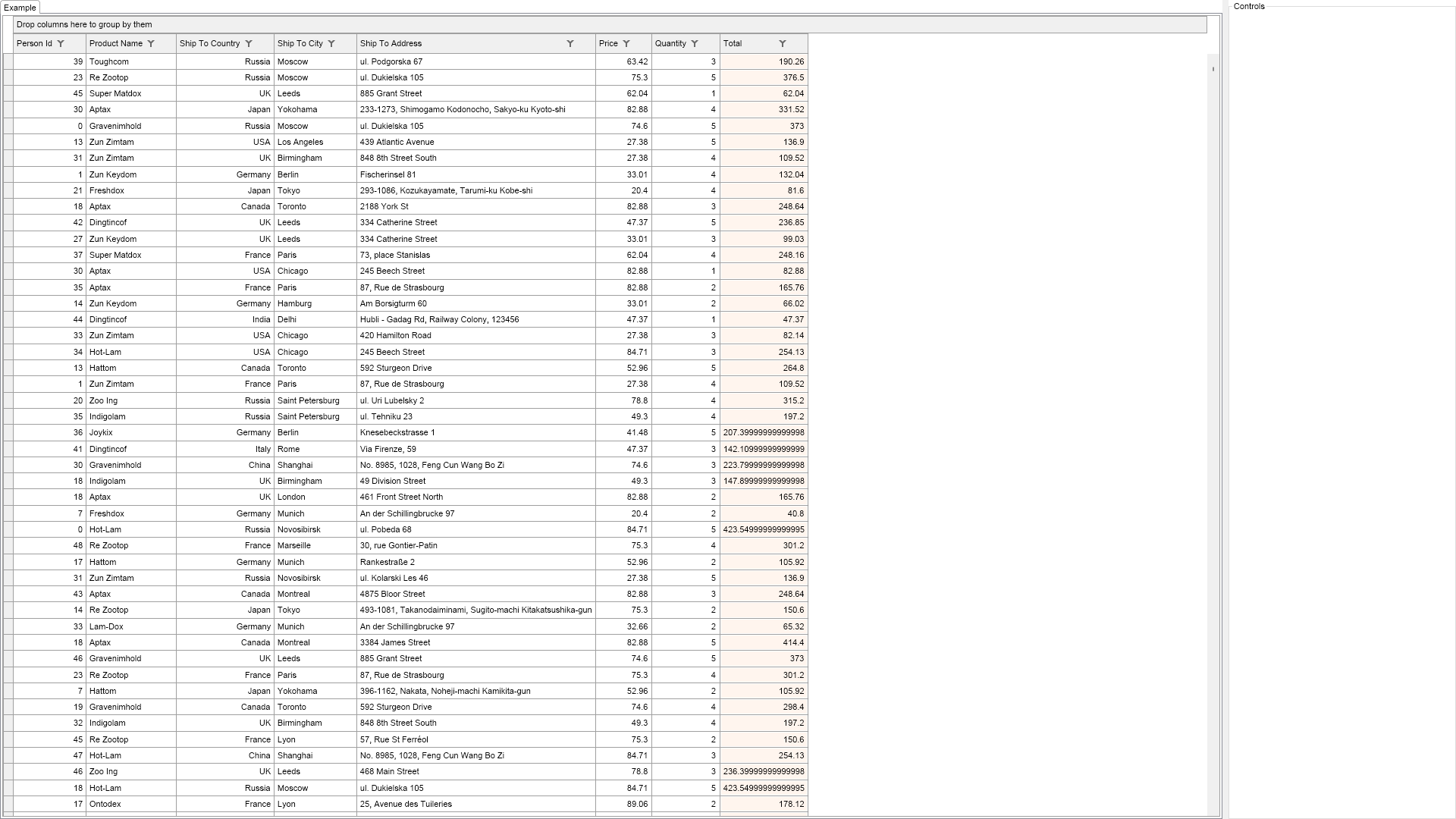
Demonstrates custom calculated columns.
Custom calculated columns are represented by the NCustomCalculatedColumn class. It exposes a GetRowValueDelegate delegate, which is called whenever the column must provide a value for a specific row. Thus it is up to the user to provide a row value for a specific row.
In the example the Total column is a custom calculated column that is calculated as {Price*Quantity}.

| Language: C# |
using Nevron.Nov;
using Nevron.Nov.Data;
using Nevron.Nov.DataStructures;
using Nevron.Nov.Dom;
using Nevron.Nov.Editors;
using Nevron.Nov.Graphics;
using Nevron.Nov.Grid;
using Nevron.Nov.Layout;
using Nevron.Nov.UI;
using Nevron.Nov.Windows.Forms;
using System;
using System.Windows.Forms;
namespace NovWinFormsProject
{
public partial class Form1 : Form
{
#region Constructors
public Form1()
{
InitializeComponent();
// Set form title
Text = "NOV WinForms - NCustomCalculatedColumnsExample";
// Create the NOV example and its controls
NWidget exampleContent = CreateExampleContent();
NWidget exampleControls = CreateExampleControls();
if (exampleControls != null)
{
exampleControls.PreferredWidth = 300;
}
// Place the example and its controls in a pair box
NPairBox pairBox = new NPairBox(exampleContent, exampleControls);
pairBox.FillMode = ENStackFillMode.First;
pairBox.FitMode = ENStackFitMode.First;
pairBox.Margins = new NMargins(NDesign.HorizontalSpacing, NDesign.VerticalSpacing);
// Host the example in the form
NNovWidgetHost host = new NNovWidgetHost(pairBox);
host.Dock = DockStyle.Fill;
Controls.Add(host);
}
#endregion
#region Example
public NWidget CreateExampleContent()
{
m_GridView = new NTableGridView();
NTableGrid grid = m_GridView.Grid;
// bind the grid to the data source
grid.DataSource = NDummyDataSource.CreatePersonsOrdersDataSource();
// add an event calculated column of type Double
NCustomCalculatedColumn totalColumn = new NCustomCalculatedColumn();
totalColumn.Title = "Total";
totalColumn.GetRowValueDelegate += delegate(NCustomCalculatedColumnGetRowValueArgs arg)
{
// calculate a RowValue for the RowIndex
double price = Convert.ToDouble(arg.DataSource.GetValue(arg.RowIndex, "Price"));
double quantity = Convert.ToDouble(arg.DataSource.GetValue(arg.RowIndex, "Quantity"));
return (double)(price * quantity);
};
totalColumn.Format.BackgroundFill = new NColorFill(NColor.SeaShell);
grid.Columns.Add(totalColumn);
return m_GridView;
}
public NWidget CreateExampleControls()
{
NStackPanel stack = new NStackPanel();
return stack;
}
public string GetExampleDescription()
{
return @"
Demonstrates custom calculated columns.
Custom calculated columns are represented by the NCustomCalculatedColumn class.
It exposes a GetRowValueDelegate delegate, which is called whenever the column must provide a value for a specific row.
Thus it is up to the user to provide a row value for a specific row.
In the example the Total column is a custom calculated column that is calculated as {Price*Quantity}.
";
}
///
/// Gets the relevant documentation links for the example
///
///
public (string Name, string Url)[] GetDocumentationUrls()
{
return new[]
{
("Grid Calculated Columns", "https://www.nevron.com/docs/openvision/grid-calculated-columns.html"),
("Grid Columns", "https://www.nevron.com/docs/openvision/grid-columns.html"),
};
}
#endregion
#region Implementation
#endregion
#region Event Handlers
#endregion
#region Fields
NTableGridView m_GridView;
#endregion
#region Static Methods
#endregion
#region Constants
#endregion
#region Nested Types
#endregion
}
}