using Nevron.Nov;
using Nevron.Nov.Data;
using Nevron.Nov.DataStructures;
using Nevron.Nov.Dom;
using Nevron.Nov.Editors;
using Nevron.Nov.Graphics;
using Nevron.Nov.Grid;
using Nevron.Nov.Layout;
using Nevron.Nov.UI;
using Nevron.Nov.Windows.Forms;
using System;
using System.Windows.Forms;

namespace NovWinFormsProject
{
	public partial class Form1 : Form
	{
		#region Constructors

		public Form1()
		{
			InitializeComponent();

			// Set form title
			Text = "NOV WinForms - NAutomaticDataColumnsExamle";

			// Create the NOV example and its controls
			NWidget exampleContent = CreateExampleContent();
			NWidget exampleControls = CreateExampleControls();
			if (exampleControls != null)
			{
				exampleControls.PreferredWidth = 300;
			}

			// Place the example and its controls in a pair box
			NPairBox pairBox = new NPairBox(exampleContent, exampleControls);
			pairBox.FillMode = ENStackFillMode.First;
			pairBox.FitMode = ENStackFitMode.First;
			pairBox.Margins = new NMargins(NDesign.HorizontalSpacing, NDesign.VerticalSpacing);

			// Host the example in the form
			NNovWidgetHost host = new NNovWidgetHost(pairBox);
			host.Dock = DockStyle.Fill;
			Controls.Add(host);
		}

		#endregion

        #region Example

        public NWidget CreateExampleContent()
        {
            m_GridView = new NTableGridView();
            NTableGrid grid = m_GridView.Grid;

            NItem[] items = new NItem[]{
                new NItem(Presentation.NResources.Image_CountryFlags_ad_png, NColor.Navy, new NColorFill(NColor.Moccasin), new NStroke(NColor.AntiqueWhite)),
                new NItem(Presentation.NResources.Image_CountryFlags_ae_png, NColor.Olive, new NStockGradientFill(NColor.Violet, NColor.WhiteSmoke), new NStroke(NColor.Bisque)),
                new NItem(Presentation.NResources.Image_CountryFlags_af_png, NColor.OldLace, new NHatchFill(ENHatchStyle.DiagonalBrick, NColor.Yellow, NColor.Red), new NStroke(NColor.DarkCyan)),
                new NItem(Presentation.NResources.Image_CountryFlags_ag_png, NColor.Plum, new NImageFill(Nevron.Nov.Graphics.NImage.FromBytes(Nevron.Nov.NConvert.FromBase64String("iVBORw0KGgoAAAANSUhEUgAAABAAAAAQCAYAAAAf8/9hAAAChklEQVR42oXQM5w9RwDA8d/Mztt9/Nu2bR6quE2XlHG6uP9cHdvpYnWxnbNte/fem9UEG/M7NiR/Eb9/qZl7sML03nm8/K/9M/eVGf5C8ReeV2rTC6Xww5bxUf7Yv+C3hsWS+N8N3l2pdrVPTnDHG31d5r3zplTtkbmtRryzUu3uWD3BX0lIPFs/cOszTXNv2rHGjjRPtBs9ow4ztfwIj7cZ48QaJ9I81zL/5nMNg7dCQj1X33dNznaeLzgFcukMc9OSVMrhzHr4eLyB9qiDS9ZD34REpWx2LMtf5Ratq15uHb3f8/W10hjz/Ir8KpTKEMQwXHqOMP8SdbUuihjLGKaLMKpfwF77DtPTPsrKsDy/CmPi5yUYNmRhkQITweKtm7FXrmcuMuhAEokUtY1TFDavJ7VyHYWszdoMHF4BCAuFEDQvwMYs7MpBTkF6w0qEBCk/QpWBIBGTYT6AoSJ8MQkCgar/4rN79l/MV83rDMvSDivSkhVZMDHoCPwY/KTEDcALYlytCfwijV98fI8AltZXnZ5KVd5CX343o6xgJi6AMSBAIJJSCBabOVYzxka3g+DDBzh4z1fLFDAdWTbr37mX3Uf3wYY1sHEDxAZ0AEGYlGEI4+NEUzPMtbTTb2cAphVAZNksPX8ar78dOTGEXfMRVsYiKsYEOiIsxQR+BM5iLKfA0rMV9NRUA6AABAJsh9yx01DIQSELxmDpECsIwA8hCP9Q+oAAQAJ4Oqpu/L6a2aFh/NkZUBKUACtJyCT53hyzY6M0Vlf/vAZAkNj9+I3Hr965Jndl3pGHhCFN8omQ/CAIMFBydVzXPuy+fd0j370ItAp+txxYBuQByT+LAReYAiYBfgAKwDG3XKpSrgAAAABJRU5ErkJggg=="))), new NStroke(NColor.DimGray)),
                new NItem(Presentation.NResources.Image_CountryFlags_ai_png, NColor.Peru,  new NStockGradientFill(ENGradientStyle.FromCenter, ENGradientVariant.Variant1, NColor.Wheat, NColor.DarkGoldenrod), new NStroke(NColor.CadetBlue))
            };

            // bind the grid to the data source
            grid.DataSource = new NDataSource(new NGenericIListDataTable(items));
            grid.AutoCreateColumn += grid_AutoCreateColumn;

            return m_GridView;
        }

        void grid_AutoCreateColumn(NAutoCreateColumnEventArgs arg)
        {
            // get the data column which was automatically created
            NDataColumn dataColumn = arg.DataColumn;
        }

        public NWidget CreateExampleControls()
        {
            NStackPanel stack = new NStackPanel();
            return stack;
        }
        public string GetExampleDescription()
        {
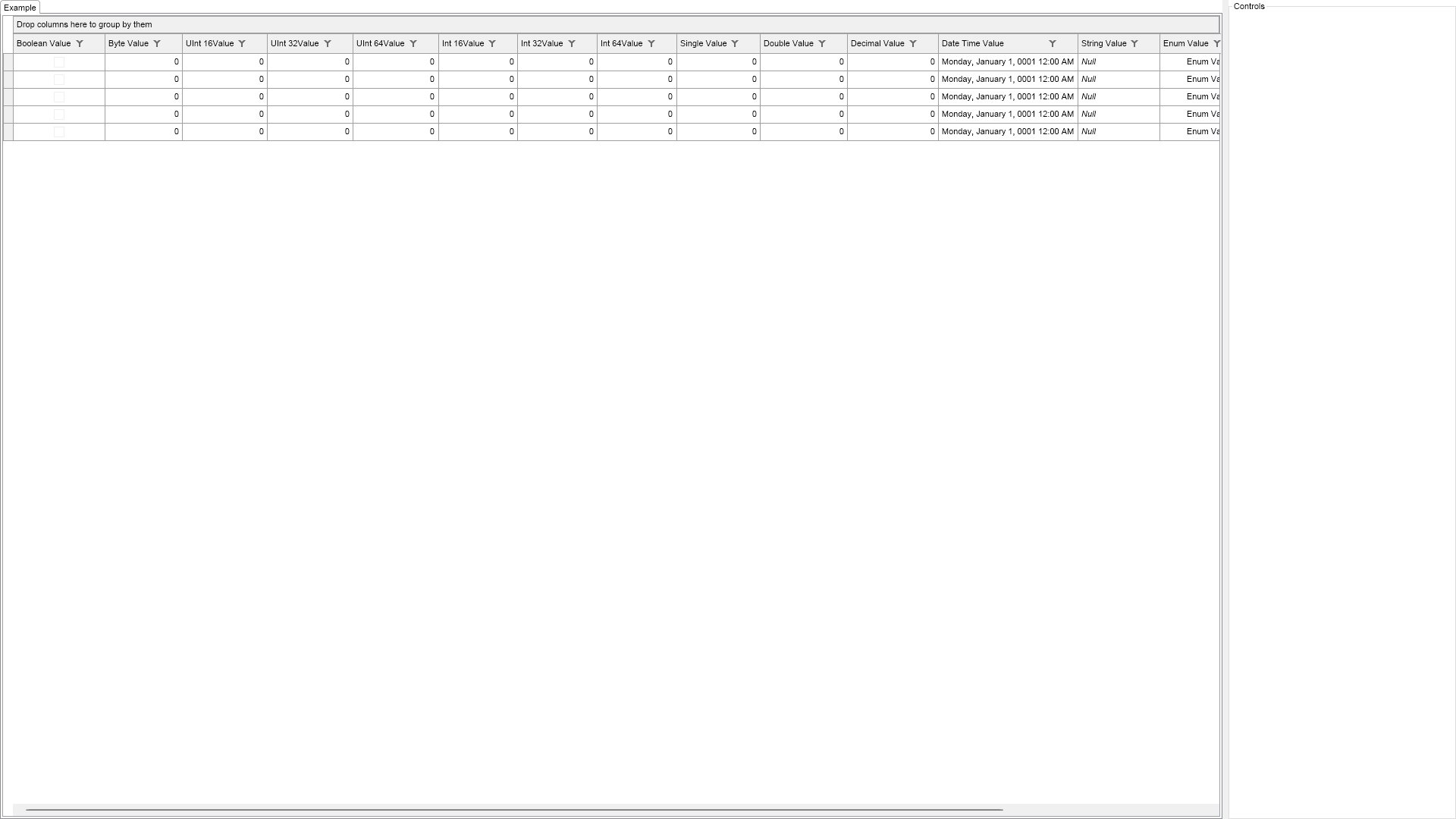
            return @"

    Demonstrates automatically created data columns.


    Data columns are columns, which obtain and edit data from the data source.


    When the grid is bound to a data source, it will automatically create data columns for all data source fields, if the grid AutoCreateColumns property is true.

    During this process it will also raise the AutoCreateColumn column event.


";
        }

        ///
        /// Gets the relevant documentation links for the example
        ///
        ///
        public (string Name, string Url)[] GetDocumentationUrls()
        {
            return new[]
            {
                ("Grid Data Binding and Column Generation", "https://www.nevron.com/docs/openvision/grid-data-binding-and-column-generation.html"),
                ("Grid Data Columns", "https://www.nevron.com/docs/openvision/grid-data-columns.html"),
            };
        }

        #endregion

		#region Implementation
		#endregion

		#region Event Handlers
		#endregion

        #region Fields

        NTableGridView m_GridView;

        #endregion

		#region Static Methods
		#endregion

		#region Constants
		#endregion

		#region Nested Types
		#endregion
	}
}

 Chart for .NET
 Diagram for .NET
 User Interface for .NET
 Vision for SSRS
 Chart for SSRS
 Gauge for SSRS
 Map for SSRS
 Barcode for SSRS
 Vision for SharePoint
 Chart for SharePoint
 Gauge for SharePoint
 Map for SharePoint
 Barcode for SharePoint
 Open Vision for .NET


 Vision for .NET