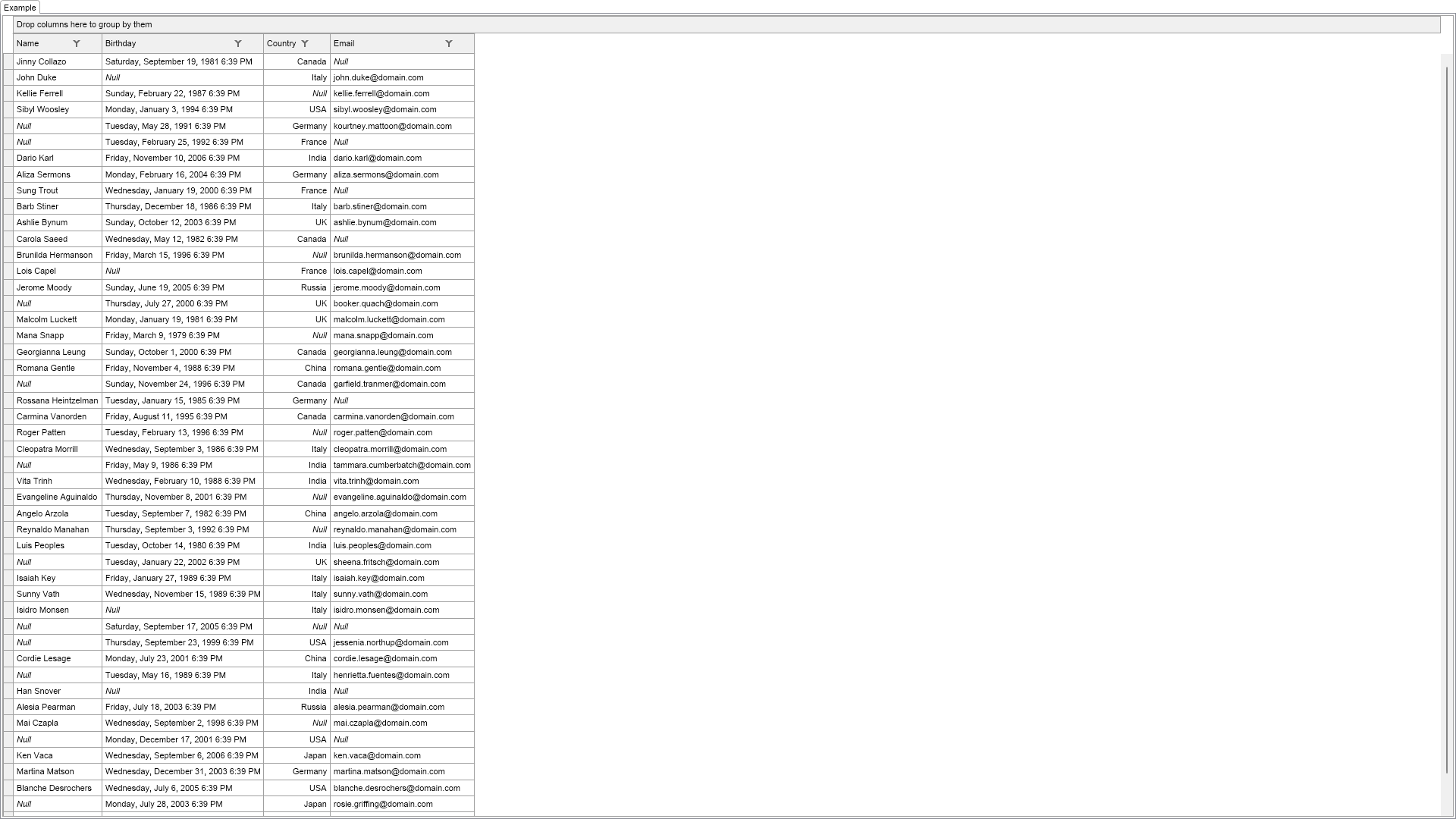
Demonstrates the grid support for null values. Note that the grid also supports editing of null values.

| Language: C# |
using Nevron.Nov;
using Nevron.Nov.Data;
using Nevron.Nov.Dom;
using Nevron.Nov.Graphics;
using Nevron.Nov.Grid;
using Nevron.Nov.Layout;
using Nevron.Nov.UI;
using Nevron.Nov.Windows.Forms;
using System;
using System.Windows.Forms;
namespace NovWinFormsProject
{
public partial class Form1 : Form
{
#region Constructors
public Form1()
{
InitializeComponent();
// Set form title
Text = "NOV WinForms - NNullValuesExample";
// Create the NOV example and its controls
NWidget exampleContent = CreateExampleContent();
NWidget exampleControls = CreateExampleControls();
if (exampleControls != null)
{
exampleControls.PreferredWidth = 300;
}
// Place the example and its controls in a pair box
NPairBox pairBox = new NPairBox(exampleContent, exampleControls);
pairBox.FillMode = ENStackFillMode.First;
pairBox.FitMode = ENStackFitMode.First;
pairBox.Margins = new NMargins(NDesign.HorizontalSpacing, NDesign.VerticalSpacing);
// Host the example in the form
NNovWidgetHost host = new NNovWidgetHost(pairBox);
host.Dock = DockStyle.Fill;
Controls.Add(host);
}
#endregion
#region Example
public NWidget CreateExampleContent()
{
// create a memory data table that supports null values
NMemoryDataTable table = new NMemoryDataTable();
table.AddField(new NFieldInfo("Name", typeof(string), true));
table.AddField(new NFieldInfo("Birthday", typeof(DateTime), true));
table.AddField(new NFieldInfo("Country", typeof(ENCountry), true));
table.AddField(new NFieldInfo("Email", typeof(string), true));
Random rnd = new Random();
for (int i = 0; i < NDummyDataSource.PersonInfos.Length; i++)
{
NDummyDataSource.NPersonInfo personInfo = NDummyDataSource.PersonInfos[i];
bool nullName = (rnd.Next(8) == 1);
bool nullBirthday = (rnd.Next(8) == 2);
bool nullCountry = (rnd.Next(8) == 3);
bool nullEmail = (rnd.Next(8) == 4);
table.AddRow(
(nullName ? null : personInfo.Name), // name
(nullBirthday ? null : (object)personInfo.Birthday), // birthday
(nullCountry ? null : (object)personInfo.Country), // country
(nullEmail ? null : personInfo.Email)); // email
}
m_TableView = new NTableGridView();
m_TableView.Grid.DataSource = new NDataSource(table);
m_TableView.Grid.AllowEdit = true;
return m_TableView;
}
public NWidget CreateExampleControls()
{
return null;
}
public string GetExampleDescription()
{
return @"
Demonstrates the grid support for null values. Note that the grid also supports editing of null values.
";
}
///
/// Gets the relevant documentation links for the example
///
///
public (string Name, string Url)[] GetDocumentationUrls()
{
return new[]
{
("Grid Cells", "https://www.nevron.com/docs/openvision/grid-cells.html"),
("Grid Column Editors", "https://www.nevron.com/docs/openvision/grid-column-editors.html"),
};
}
#endregion
#region Implementation
#endregion
#region Event Handlers
#endregion
#region Fields
NTableGridView m_TableView;
#endregion
#region Static Methods
#endregion
#region Constants
#endregion
#region Nested Types
#endregion
}
}