Imports Nevron.Nov
Imports Nevron.Nov.Dom
Imports Nevron.Nov.Graphics
Imports Nevron.Nov.Layout
Imports Nevron.Nov.UI
Imports Nevron.Nov.Windows.Forms

Public Class Form1

#Region "Constructors"

    Public Sub New()
        ' This call is required by the designer.
        InitializeComponent()

        ' Add any initialization after the InitializeComponent() call.

        ' Set form title
        Text = "NOV WinForms - NInteractiveContextPopupExample"

        ' Create the NOV example and its controls
        Dim exampleContent As NWidget = CreateExampleContent()
        Dim exampleControls As NWidget = CreateExampleControls()
        If Not exampleControls Is Nothing Then
            exampleControls.PreferredWidth = 300
        End If

        ' Place the example and its controls in a pair box
        Dim pairBox As NPairBox = New NPairBox(exampleContent, exampleControls)
        pairBox.FillMode = ENStackFillMode.First
        pairBox.FitMode = ENStackFitMode.First
        pairBox.Margins = New NMargins(NDesign.HorizontalSpacing, NDesign.VerticalSpacing)

        ' Host the example in the form
        Dim host As NNovWidgetHost(Of NWidget) = New NNovWidgetHost(Of NWidget)(pairBox)
        host.Dock = DockStyle.Fill
        Controls.Add(host)
    End Sub


#End Region

#Region "Example"

        Public Function CreateExampleContent() As NWidget
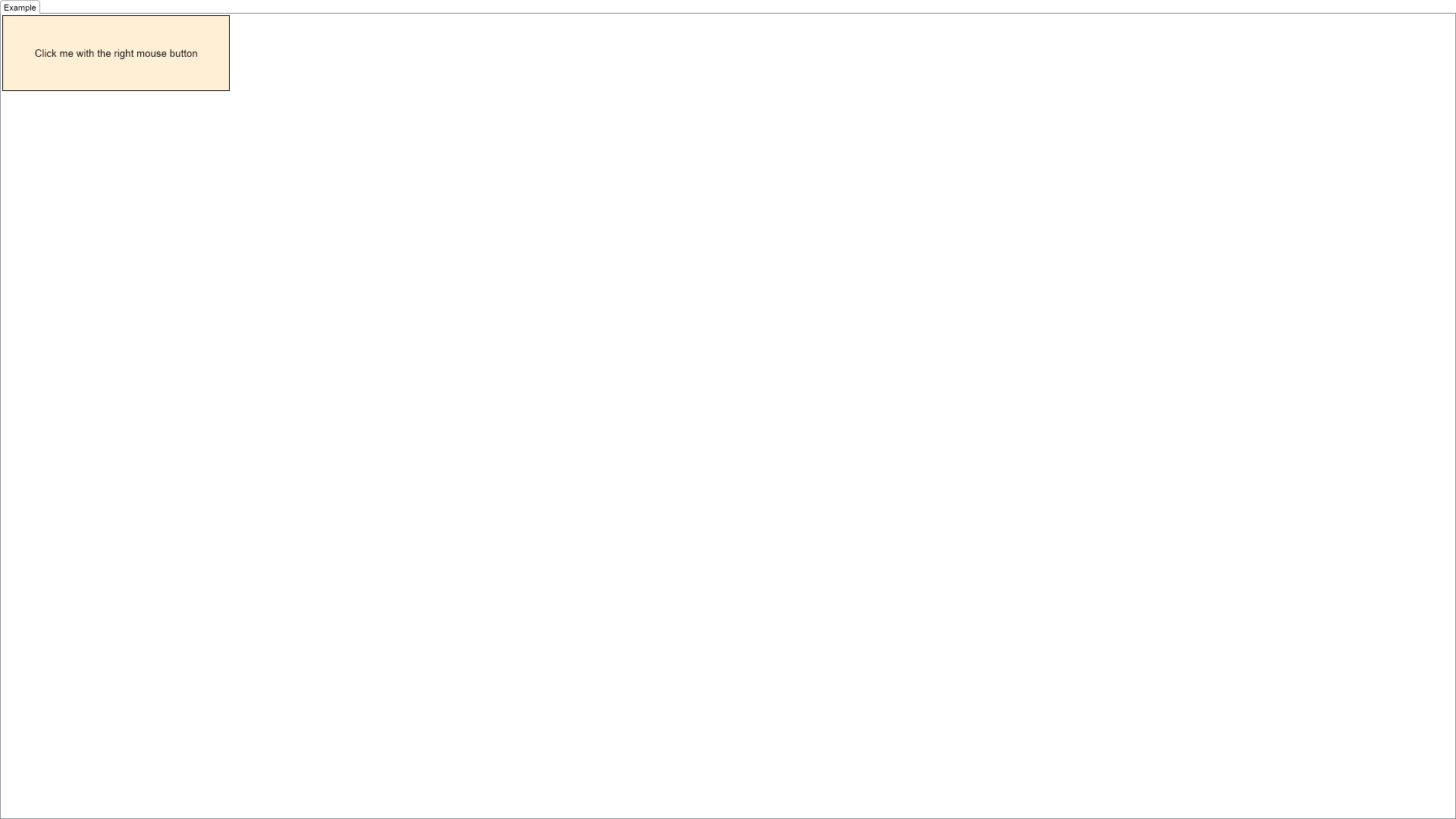
            m_Label = New NLabel("Click me with the right mouse button")
            m_Label.HorizontalPlacement = ENHorizontalPlacement.Center
            m_Label.VerticalPlacement = ENVerticalPlacement.Center
            m_Label.Font = New NFont(NFontDescriptor.DefaultSansFamilyName, 10, ENFontStyle.Regular)
            m_Label.TextFill = New NColorFill(NColor.Black)

            Dim widget As NContentHolder = New NContentHolder(m_Label)
            widget.HorizontalPlacement = ENHorizontalPlacement.Left
            widget.VerticalPlacement = ENVerticalPlacement.Top
            widget.BackgroundFill = New NColorFill(NColor.PapayaWhip)
            widget.Border = NBorder.CreateFilledBorder(NColor.Black)
            widget.BorderThickness = New NMargins(1)
            widget.PreferredSize = New NSize(300, 100)
            widget.MouseDown += AddressOf OnTargetWidgetMouseDown

            Return widget
        End Function
        Public Function CreateExampleControls() As NWidget
            Return Nothing
        End Function
        Public Function GetExampleDescription() As String
            Return "

	This example demonstrates how to create an interactive context popup. All you have to do is to create
	a popup window and show it using the NPopupWindow.OpenInContext(...) method when the user right
	clicks the widget the context is designed for.

"
        End Function

        '''
        ''' Gets the relevant documentation links for the example
        '''
        '''
        Public Function GetDocumentationUrls() As (String, String)()
            Return {("Interactive Context Popup", "https://www.nevron.com/docs/openvision/ui-interactive-context-popup.html"), ("Context Popups Overview", "https://www.nevron.com/docs/openvision/ui-context-popups-overview.html")}
        End Function

#End Region

#Region "Implementation"

        Private Function CreateToggleButton(text As String, isChecked As Boolean) As NToggleButton
            Dim label As NLabel = New NLabel(text)
            label.HorizontalPlacement = ENHorizontalPlacement.Center
            label.VerticalPlacement = ENVerticalPlacement.Center

            Dim button As NToggleButton = New NToggleButton(label)
            button.Checked = isChecked
            button.PreferredWidth = 20
            button.CheckedChanged += AddressOf OnToggleButtonCheckedChanged
            Return button
        End Function
        Private Function CreatePopupContent() As NWidget
            ' Create the first tool bar
            Dim toolBar1 As NToolBar = New NToolBar()
            toolBar1.HideGripperAndPendant()
            toolBar1.Items.HorizontalSpacing = 3

            Dim fontComboBox As NComboBox = New NComboBox()
            Dim i = 0, fontCount = Fonts.Length

            While i < fontCount
                Dim fontName = Fonts(i)
                Dim label As NLabel = New NLabel(fontName)
                label.Font = New NFont(fontName, 8, ENFontStyle.Regular)
                fontComboBox.Items.Add(New NComboBoxItem(label))

                If Equals(fontName, m_Label.Font.Name) Then
                    ' Update the selected index
                    fontComboBox.SelectedIndex = i
                End If

                i += 1
            End While

            fontComboBox.SelectedIndexChanged += AddressOf OnFontComboBoxSelectedIndexChanged
            toolBar1.Items.Add(fontComboBox)

            Dim fontSizeNumericUpDown As NNumericUpDown = New NNumericUpDown()
            fontSizeNumericUpDown.Minimum = 6
            fontSizeNumericUpDown.Maximum = 32
            fontSizeNumericUpDown.Value = m_Label.Font.Size
            fontSizeNumericUpDown.ValueChanged += AddressOf OnFontSizeNumericUpDownValueChanged
            toolBar1.Items.Add(fontSizeNumericUpDown)

            ' Create the second tool bar
            Dim toolBar2 As NToolBar = New NToolBar()
            toolBar2.HideGripperAndPendant()

            Dim boldButton = Me.CreateToggleButton("B", (m_Label.Font.Style And ENFontStyle.Bold) Is ENFontStyle.Bold)
            toolBar2.Items.Add(boldButton)

            Dim italicButton = Me.CreateToggleButton("I", (m_Label.Font.Style And ENFontStyle.Italic) Is ENFontStyle.Italic)
            toolBar2.Items.Add(italicButton)

            Dim underlineButton = Me.CreateToggleButton("U", (m_Label.Font.Style And ENFontStyle.Underline) Is ENFontStyle.Underline)
            toolBar2.Items.Add(underlineButton)

            Dim fillButton As NFillSplitButton = New NFillSplitButton()
            fillButton.SelectedValue = New NAutomaticValue(Of NFill)(False, CType(m_Label.TextFill.DeepClone(), NFill))
            fillButton.SelectedValueChanged += AddressOf OnFillButtonSelectedValueChanged
            toolBar2.Items.Add(fillButton)

            ' Add the tool bars in a stack
            Dim stack As NStackPanel = New NStackPanel()
            stack.Add(toolBar1)
            stack.Add(toolBar2)

            Return stack
        End Function

#End Region

#Region "Event Handlers"

        Private Sub OnTargetWidgetMouseDown(args As NMouseButtonEventArgs)
            If args.Button IsNot ENMouseButtons.Right Then Return

            ' Mark the event as handled
            args.Cancel = True

            ' Create and show the popup
            Dim popupContent As NWidget = CreatePopupContent()
            Dim popupWindow As NPopupWindow = New NPopupWindow(popupContent)
            NPopupWindow.OpenInContext(popupWindow, args.CurrentTargetNode, args.ScreenPosition)
        End Sub

        Private Sub OnFontComboBoxSelectedIndexChanged(args As NValueChangeEventArgs)
            Dim index As Integer = args.NewValue
            m_Label.Font.Name = Fonts(index)
        End Sub
        Private Sub OnToggleButtonCheckedChanged(args As NValueChangeEventArgs)
            Dim toggleButton = CType(args.CurrentTargetNode, NToggleButton)
            Dim label = CType(toggleButton.Content, NLabel)
            Select Case label.Text
                Case "B"
                    m_Label.Font.Style = m_Label.Font.Style Xor ENFontStyle.Bold
                Case "I"
                    m_Label.Font.Style = m_Label.Font.Style Xor ENFontStyle.Italic
                Case "U"
                    m_Label.Font.Style = m_Label.Font.Style Xor ENFontStyle.Underline
            End Select
        End Sub
        Private Sub OnFontSizeNumericUpDownValueChanged(args As NValueChangeEventArgs)
            m_Label.Font.Size = CDbl(args.NewValue)
        End Sub
        Private Sub OnFillButtonSelectedValueChanged(args As NValueChangeEventArgs)
            Dim newValue As NAutomaticValue(Of NFill) = args.NewValue
            Dim fill = newValue.Value
            m_Label.TextFill = CType(fill.DeepClone(), NFill)
        End Sub

#End Region

#Region "Fields"

        Private m_Label As NLabel

#End Region

#Region "Static Methods"
#End Region

#Region "Constants"

        Private Shared ReadOnly Fonts As String() = New String() {NFontDescriptor.DefaultSansFamilyName, NFontDescriptor.DefaultSerifFamilyName, NFontDescriptor.DefaultMonoFamilyName}

#End Region

#Region "Nested Types"
#End Region

End Class

 Chart for .NET
 Diagram for .NET
 User Interface for .NET
 Vision for SSRS
 Chart for SSRS
 Gauge for SSRS
 Map for SSRS
 Barcode for SSRS
 Vision for SharePoint
 Chart for SharePoint
 Gauge for SharePoint
 Map for SharePoint
 Barcode for SharePoint
 Open Vision for .NET


 Vision for .NET