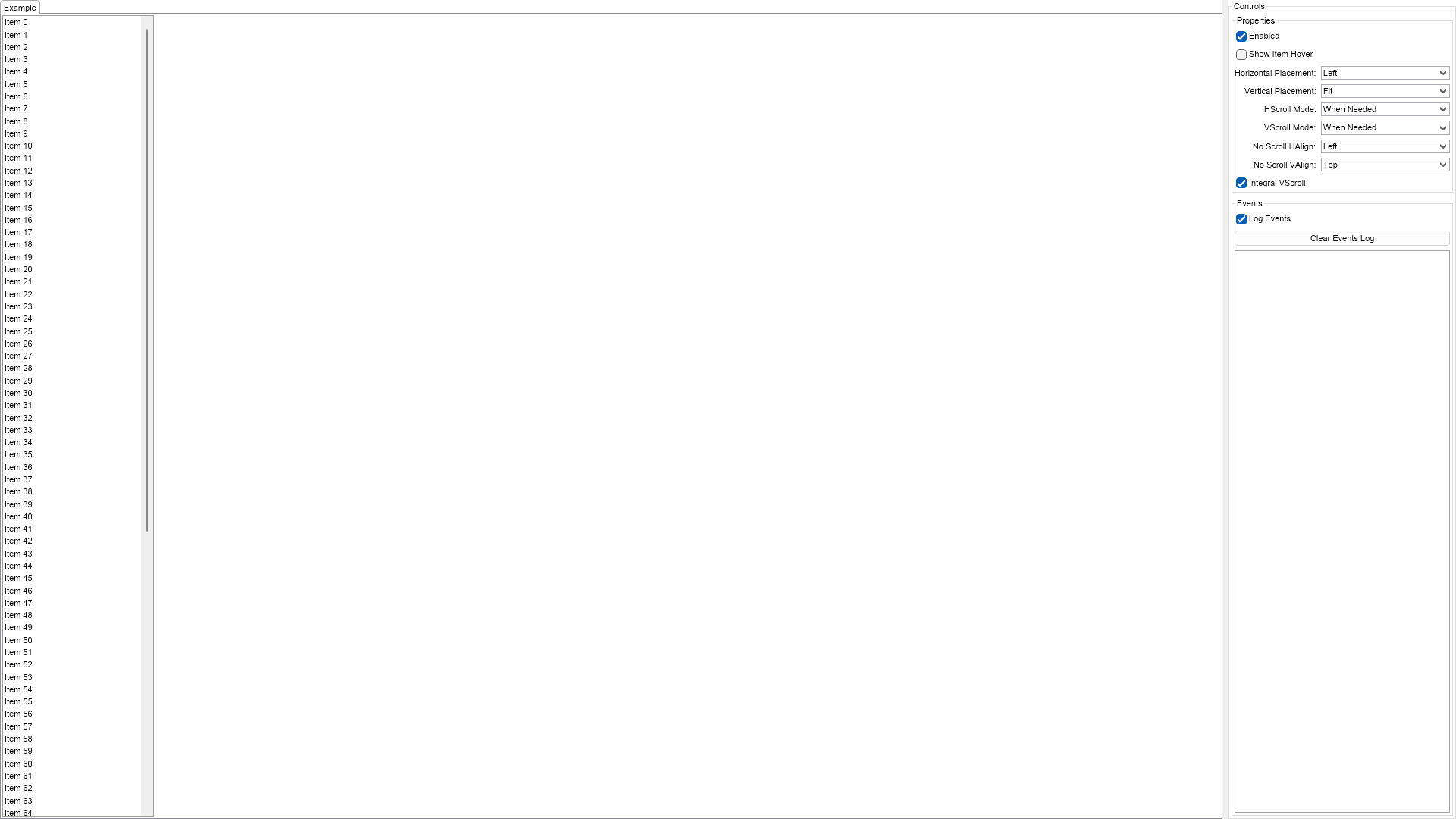
This example demonstrates how to create a simple list box with text only items. You can use the controls on the right to modify various properties of the list box.

| Language: C# |
using Nevron.Nov;
using Nevron.Nov.DataStructures;
using Nevron.Nov.Dom;
using Nevron.Nov.Editors;
using Nevron.Nov.Graphics;
using Nevron.Nov.Layout;
using Nevron.Nov.Presentation;
using Nevron.Nov.UI;
using Nevron.Nov.Windows.Forms;
using System.Windows.Forms;
namespace NovWinFormsProject
{
public partial class Form1 : Form
{
#region Constructors
public Form1()
{
InitializeComponent();
// Set form title
Text = "NOV WinForms - NListBoxFirstLookExample";
// Create the NOV example and its controls
NWidget exampleContent = CreateExampleContent();
NWidget exampleControls = CreateExampleControls();
if (exampleControls != null)
{
exampleControls.PreferredWidth = 300;
}
// Place the example and its controls in a pair box
NPairBox pairBox = new NPairBox(exampleContent, exampleControls);
pairBox.FillMode = ENStackFillMode.First;
pairBox.FitMode = ENStackFitMode.First;
pairBox.Margins = new NMargins(NDesign.HorizontalSpacing, NDesign.VerticalSpacing);
// Host the example in the form
NNovWidgetHost host = new NNovWidgetHost(pairBox);
host.Dock = DockStyle.Fill;
Controls.Add(host);
}
#endregion
#region Example
public NWidget CreateExampleContent()
{
// Create a list box
m_ListBox = new NListBox();
m_ListBox.HorizontalPlacement = ENHorizontalPlacement.Left;
m_ListBox.PreferredSize = new NSize(200, 400);
// Add some items
for (int i = 0; i < 100; i++)
{
m_ListBox.Items.Add(new NListBoxItem("Item " + i.ToString()));
}
// Hook to list box selection events
m_ListBox.Selection.Selected += OnListBoxItemSelected;
m_ListBox.Selection.Deselected += OnListBoxItemDeselected;
return m_ListBox;
}
public NWidget CreateExampleControls()
{
NStackPanel stack = new NStackPanel();
stack.FillMode = ENStackFillMode.Last;
stack.FitMode = ENStackFitMode.Last;
// Create the properties group box
stack.Add(CreatePropertiesGroupBox());
// Create the events log
m_EventsLog = new NExampleEventsLog();
stack.Add(m_EventsLog);
return stack;
}
public string GetExampleDescription()
{
return @"
This example demonstrates how to create a simple list box with text only items. You can use the controls
on the right to modify various properties of the list box.
";
}
///
/// Gets the relevant documentation links for the example
///
///
public (string Name, string Url)[] GetDocumentationUrls()
{
return new[]
{
("List Box", "https://www.nevron.com/docs/openvision/ui-list-box.html"),
("Widget Elements", "https://www.nevron.com/docs/openvision/ui-widget-elements.html"),
};
}
#endregion
#region Implementation
private NGroupBox CreatePropertiesGroupBox()
{
NStackPanel propertiesStack = new NStackPanel();
NList editors = NDesigner.GetDesigner(m_ListBox).CreateMemberEditors(m_ListBox,
NListBox.EnabledProperty,
NListBox.ShowItemHoverProperty,
NListBox.HorizontalPlacementProperty,
NListBox.VerticalPlacementProperty,
NListBox.HScrollModeProperty,
NListBox.VScrollModeProperty,
NListBox.NoScrollHAlignProperty,
NListBox.NoScrollVAlignProperty,
NListBox.IntegralVScrollProperty
);
for (int i = 0; i < editors.Count; i++)
{
propertiesStack.Add(editors[i]);
}
NGroupBox propertiesGroupBox = new NGroupBox("Properties", new NUniSizeBoxGroup(propertiesStack));
return propertiesGroupBox;
}
#endregion
#region Event Handlers
private void OnListBoxItemSelected(NItemEventArgs args)
{
NListBoxItem item = args.Item;
int index = item.GetAggregationInfo().Index;
m_EventsLog.LogEvent("Selected Item: " + index.ToString());
}
private void OnListBoxItemDeselected(NItemEventArgs args)
{
NListBoxItem item = args.Item;
int index = item.GetAggregationInfo().Index;
m_EventsLog.LogEvent("Deselected Item: " + index.ToString());
}
#endregion
#region Fields
private NListBox m_ListBox;
private NExampleEventsLog m_EventsLog;
#endregion
#region Static Methods
#endregion
#region Constants
#endregion
#region Nested Types
#endregion
}
} | Language: VB.NET |
Imports Nevron.Nov
Imports Nevron.Nov.Dom
Imports Nevron.Nov.Editors
Imports Nevron.Nov.Graphics
Imports Nevron.Nov.Layout
Imports Nevron.Nov.UI
Imports Nevron.Nov.Windows.Forms
Public Class Form1
#Region "Constructors"
Public Sub New()
' This call is required by the designer.
InitializeComponent()
' Add any initialization after the InitializeComponent() call.
' Set form title
Text = "NOV WinForms - NListBoxFirstLookExample"
' Create the NOV example and its controls
Dim exampleContent As NWidget = CreateExampleContent()
Dim exampleControls As NWidget = CreateExampleControls()
If Not exampleControls Is Nothing Then
exampleControls.PreferredWidth = 300
End If
' Place the example and its controls in a pair box
Dim pairBox As NPairBox = New NPairBox(exampleContent, exampleControls)
pairBox.FillMode = ENStackFillMode.First
pairBox.FitMode = ENStackFitMode.First
pairBox.Margins = New NMargins(NDesign.HorizontalSpacing, NDesign.VerticalSpacing)
' Host the example in the form
Dim host As NNovWidgetHost(Of NWidget) = New NNovWidgetHost(Of NWidget)(pairBox)
host.Dock = DockStyle.Fill
Controls.Add(host)
End Sub
#End Region
#Region "Example"
Public Function CreateExampleContent() As NWidget
' Create a list box
m_ListBox = New NListBox()
m_ListBox.HorizontalPlacement = ENHorizontalPlacement.Left
m_ListBox.PreferredSize = New NSize(200, 400)
' Add some items
For i = 0 To 99
m_ListBox.Items.Add(New NListBoxItem("Item " & i.ToString()))
Next
' Hook to list box selection events
Me.m_ListBox.Selection.Selected += AddressOf OnListBoxItemSelected
Me.m_ListBox.Selection.Deselected += AddressOf OnListBoxItemDeselected
Return m_ListBox
End Function
Public Function CreateExampleControls() As NWidget
Dim stack As NStackPanel = New NStackPanel()
stack.FillMode = ENStackFillMode.Last
stack.FitMode = ENStackFitMode.Last
' Create the properties group box
stack.Add(CreatePropertiesGroupBox())
' Create the events log
m_EventsLog = New NExampleEventsLog()
stack.Add(m_EventsLog)
Return stack
End Function
Public Function GetExampleDescription() As String
Return "
This example demonstrates how to create a simple list box with text only items. You can use the controls
on the right to modify various properties of the list box.
"
End Function
'''
''' Gets the relevant documentation links for the example
'''
'''
Public Function GetDocumentationUrls() As (String, String)()
Return {("List Box", "https://www.nevron.com/docs/openvision/ui-list-box.html"), ("Widget Elements", "https://www.nevron.com/docs/openvision/ui-widget-elements.html")}
End Function
#End Region
#Region "Implementation"
Private Function CreatePropertiesGroupBox() As NGroupBox
Dim propertiesStack As NStackPanel = New NStackPanel()
Dim editors = NDesigner.GetDesigner(m_ListBox).CreateMemberEditors(m_ListBox, NInputElement.EnabledProperty, NListBox.ShowItemHoverProperty, NWidget.HorizontalPlacementProperty, NWidget.VerticalPlacementProperty, NScrollContentBase.HScrollModeProperty, NScrollContentBase.VScrollModeProperty, NScrollContentBase.NoScrollHAlignProperty, NScrollContentBase.NoScrollVAlignProperty, NListBox.IntegralVScrollProperty)
For i = 0 To editors.Count - 1
propertiesStack.Add(editors(i))
Next
Dim propertiesGroupBox As NGroupBox = New NGroupBox("Properties", New NUniSizeBoxGroup(propertiesStack))
Return propertiesGroupBox
End Function
#End Region
#Region "Event Handlers"
Private Sub OnListBoxItemSelected(args As NItemEventArgs(Of NListBoxItem))
Dim item = args.Item
Dim index As Integer = item.GetAggregationInfo().Index
m_EventsLog.LogEvent("Selected Item: " & index.ToString())
End Sub
Private Sub OnListBoxItemDeselected(args As NItemEventArgs(Of NListBoxItem))
Dim item = args.Item
Dim index As Integer = item.GetAggregationInfo().Index
m_EventsLog.LogEvent("Deselected Item: " & index.ToString())
End Sub
#End Region
#Region "Fields"
Private m_ListBox As NListBox
Private m_EventsLog As NExampleEventsLog
#End Region
#Region "Static Methods"
#End Region
#Region "Constants"
#End Region
#Region "Nested Types"
#End Region
End Class