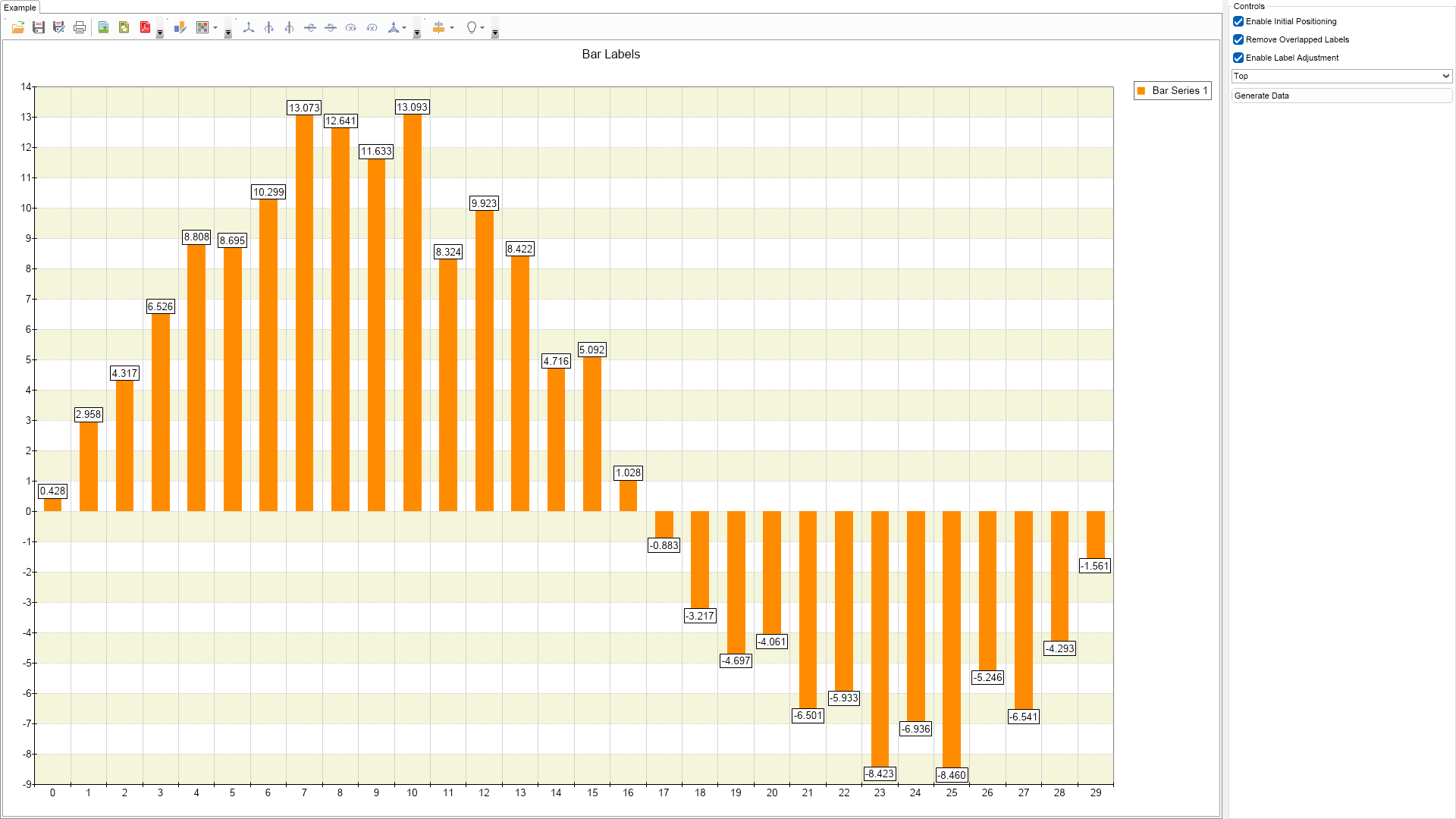
Bar Labels Example for Blazor

Nevron NOV Chart for Blazor ships with hundreds of examples with full source code, as part of the Nevron Open Vision Suite. All Blazor Chart examples are also available as a stand-alone Visual Studio solution in C#, which you can download from the links below.

Bar Labels Example for Blazor Description

This example demonstrates how automatic data label layout works with bar data labels.


Bar Labels Example

C# Bar Labels Example Code for Nevron Chart for Blazor
Language: C#

using Nevron.Nov;
using Nevron.Nov.Chart;
using Nevron.Nov.Dom;
using Nevron.Nov.Graphics;
using Nevron.Nov.Layout;
using Nevron.Nov.UI;
using Nevron.Nov.Windows.Forms;
using System;
using System.Windows.Forms;

namespace NovWinFormsProject
{
	public partial class Form1 : Form
	{
		#region Constructors

		public Form1()
		{
			InitializeComponent();

			// Set form title
			Text = "NOV WinForms - NBarLabelsExample";

			// Create the NOV example and its controls
			NWidget exampleContent = CreateExampleContent();
			NWidget exampleControls = CreateExampleControls();
			if (exampleControls != null)
			{
				exampleControls.PreferredWidth = 300;
			}

			// Place the example and its controls in a pair box
			NPairBox pairBox = new NPairBox(exampleContent, exampleControls);
			pairBox.FillMode = ENStackFillMode.First;
			pairBox.FitMode = ENStackFitMode.First;
			pairBox.Margins = new NMargins(NDesign.HorizontalSpacing, NDesign.VerticalSpacing);

			// Host the example in the form
			NNovWidgetHost host = new NNovWidgetHost(pairBox);
			host.Dock = DockStyle.Fill;
			Controls.Add(host);
		}

		#endregion

		#region Example

		public NWidget CreateExampleContent()
		{
			NChartViewWithCommandBars chartViewWithCommandBars = new NChartViewWithCommandBars();
			NChartView chartView = chartViewWithCommandBars.View;
			chartView.Surface.CreatePredefinedChart(ENPredefinedChartType.Cartesian);

			// configure title
			chartView.Surface.Titles[0].Text = "Bar Labels";

			// configure chart
			m_Chart = (NCartesianChart)chartView.Surface.Charts[0];

			m_Chart.SetPredefinedCartesianAxes(ENPredefinedCartesianAxis.XOrdinalYLinear);

			// configure Y axis
			NLinearScale scaleY = new NLinearScale();
			scaleY.MajorGridLines.Stroke.DashStyle = ENDashStyle.Dash;
			m_Chart.Axes[ENCartesianAxis.PrimaryY].Scale = scaleY;

			// add interlaced stripe for Y axis
			NScaleStrip stripStyle = new NScaleStrip(new NColorFill(NColor.Beige), null, true, 0, 0, 1, 1);
			stripStyle.Interlaced = true;
			scaleY.Strips.Add(stripStyle);

			// bar series
			m_Bar = new NBarSeries();
			m_Bar.ValueFormatter = new NNumericValueFormatter("0.000");
			m_Chart.Series.Add(m_Bar);

			m_Bar.Fill = new NColorFill(NColor.DarkOrange);

			NDataLabelStyle dataLabelStyle = new NDataLabelStyle();
			dataLabelStyle.Visible = true;
			dataLabelStyle.VertAlign = ENVerticalAlignment.Top;
			dataLabelStyle.ArrowLength = 20;
			dataLabelStyle.Format = "";

			m_Bar.DataLabelStyle = dataLabelStyle;

			// enable initial labels positioning
			m_Chart.LabelLayout.EnableInitialPositioning = true;

			// enable label adjustment
			m_Chart.LabelLayout.EnableLabelAdjustment = true;

			// use only "top" location for the labels
			m_Bar.LabelLayout.UseLabelLocations = true;
			m_Bar.LabelLayout.LabelLocations = new NDomArray(new ENLabelLocation[] { ENLabelLocation.Top });
			m_Bar.LabelLayout.OutOfBoundsLocationMode = ENOutOfBoundsLocationMode.PushWithinBounds;
			m_Bar.LabelLayout.InvertLocationsIfIgnored = true;

			// protect data points from being overlapped
			m_Bar.LabelLayout.EnableDataPointSafeguard = true;
			m_Bar.LabelLayout.DataPointSafeguardSize = new NSize(2, 2);

			// fill with random data
			OnGenerateDataButtonClick(null);

			return chartViewWithCommandBars;
		}
		public NWidget CreateExampleControls()
		{
			NStackPanel stack = new NStackPanel();
			NUniSizeBoxGroup boxGroup = new NUniSizeBoxGroup(stack);

			m_EnableInitialPositioningCheckBox = new NCheckBox("Enable Initial Positioning");
			m_EnableInitialPositioningCheckBox.CheckedChanged += OnEnableInitialPositioningCheckBoxCheckedChanged;
			stack.Add(m_EnableInitialPositioningCheckBox);
			
			m_RemoveOverlappedLabelsCheckBox = new NCheckBox("Remove Overlapped Labels");
			m_RemoveOverlappedLabelsCheckBox.CheckedChanged += OnRemoveOverlappedLabelsCheckBoxCheckedChanged;
			stack.Add(m_RemoveOverlappedLabelsCheckBox);
			
			m_EnableLabelAdjustmentCheckBox = new NCheckBox("Enable Label Adjustment");
			m_EnableLabelAdjustmentCheckBox.CheckedChanged += OnEnableLabelAdjustmentCheckBoxCheckedChanged;
			stack.Add(m_EnableLabelAdjustmentCheckBox);

			m_LocationsComboBox = new NComboBox();
			m_LocationsComboBox.Items.Add(new NComboBoxItem("Top"));
			m_LocationsComboBox.Items.Add(new NComboBoxItem("Top - Bottom"));
			m_LocationsComboBox.SelectedIndexChanged += OnLocationsComboBoxSelectedIndexChanged;
			stack.Add(m_LocationsComboBox);

			NButton generateDataButton = new NButton("Generate Data");
			generateDataButton.Click += OnGenerateDataButtonClick;
			stack.Add(generateDataButton);

			m_EnableInitialPositioningCheckBox.Checked = true;
			m_RemoveOverlappedLabelsCheckBox.Checked = true;
			m_EnableLabelAdjustmentCheckBox.Checked = true;
			m_LocationsComboBox.SelectedIndex = 0;

			return boxGroup;
		}
		public string GetExampleDescription()
		{
			return @"

This example demonstrates how automatic data label layout works with bar data labels.

"; } /// /// Gets the relevant documentation links for the example /// /// public (string Name, string Url)[] GetDocumentationUrls() { return new[] { ("Bar Series", "https://www.nevron.com/docs/openvision/bar-chart-series.html"), ("Series Label Layout", "https://www.nevron.com/docs/openvision/chart-series-label-layout.html"), ("Series Labels Appearance", "https://www.nevron.com/docs/openvision/chart-series-labels-appearance.html"), ("Label Formatting", "https://www.nevron.com/docs/openvision/chart-label-formatting.html"), }; } #endregion #region Implementation #endregion #region Event Handlers void OnEnableLabelAdjustmentCheckBoxCheckedChanged(NValueChangeEventArgs arg) { m_Chart.LabelLayout.EnableLabelAdjustment = m_EnableLabelAdjustmentCheckBox.Checked; } void OnRemoveOverlappedLabelsCheckBoxCheckedChanged(NValueChangeEventArgs arg) { m_Chart.LabelLayout.RemoveOverlappedLabels = m_RemoveOverlappedLabelsCheckBox.Checked; } void OnEnableInitialPositioningCheckBoxCheckedChanged(NValueChangeEventArgs arg) { m_RemoveOverlappedLabelsCheckBox.Enabled = m_EnableInitialPositioningCheckBox.Checked; m_LocationsComboBox.Enabled = m_EnableInitialPositioningCheckBox.Checked; m_Chart.LabelLayout.EnableInitialPositioning = m_EnableInitialPositioningCheckBox.Checked; } void OnLocationsComboBoxSelectedIndexChanged(NValueChangeEventArgs arg) { ENLabelLocation[] locations; switch (m_LocationsComboBox.SelectedIndex) { case 0: locations = new ENLabelLocation[] { ENLabelLocation.Top }; break; case 1: locations = new ENLabelLocation[] { ENLabelLocation.Top, ENLabelLocation.Bottom }; break; default: NDebug.Assert(false); locations = null; break; } m_Bar.LabelLayout.LabelLocations = new NDomArray(locations); } void OnGenerateDataButtonClick(NEventArgs arg) { m_Bar.DataPoints.Clear(); Random random = new Random(); for (int i = 0; i < 30; i++) { double value = Math.Sin(i * 0.2) * 10 + random.NextDouble() * 4; m_Bar.DataPoints.Add(new NBarDataPoint(value)); } } #endregion #region Fields NCartesianChart m_Chart; NBarSeries m_Bar; NCheckBox m_EnableInitialPositioningCheckBox; NCheckBox m_RemoveOverlappedLabelsCheckBox; NCheckBox m_EnableLabelAdjustmentCheckBox; NComboBox m_LocationsComboBox; #endregion #region Static Methods #endregion #region Constants #endregion #region Nested Types #endregion } }

Download a fully functional C# (.cs) Bar Labels Example for Blazor Solution