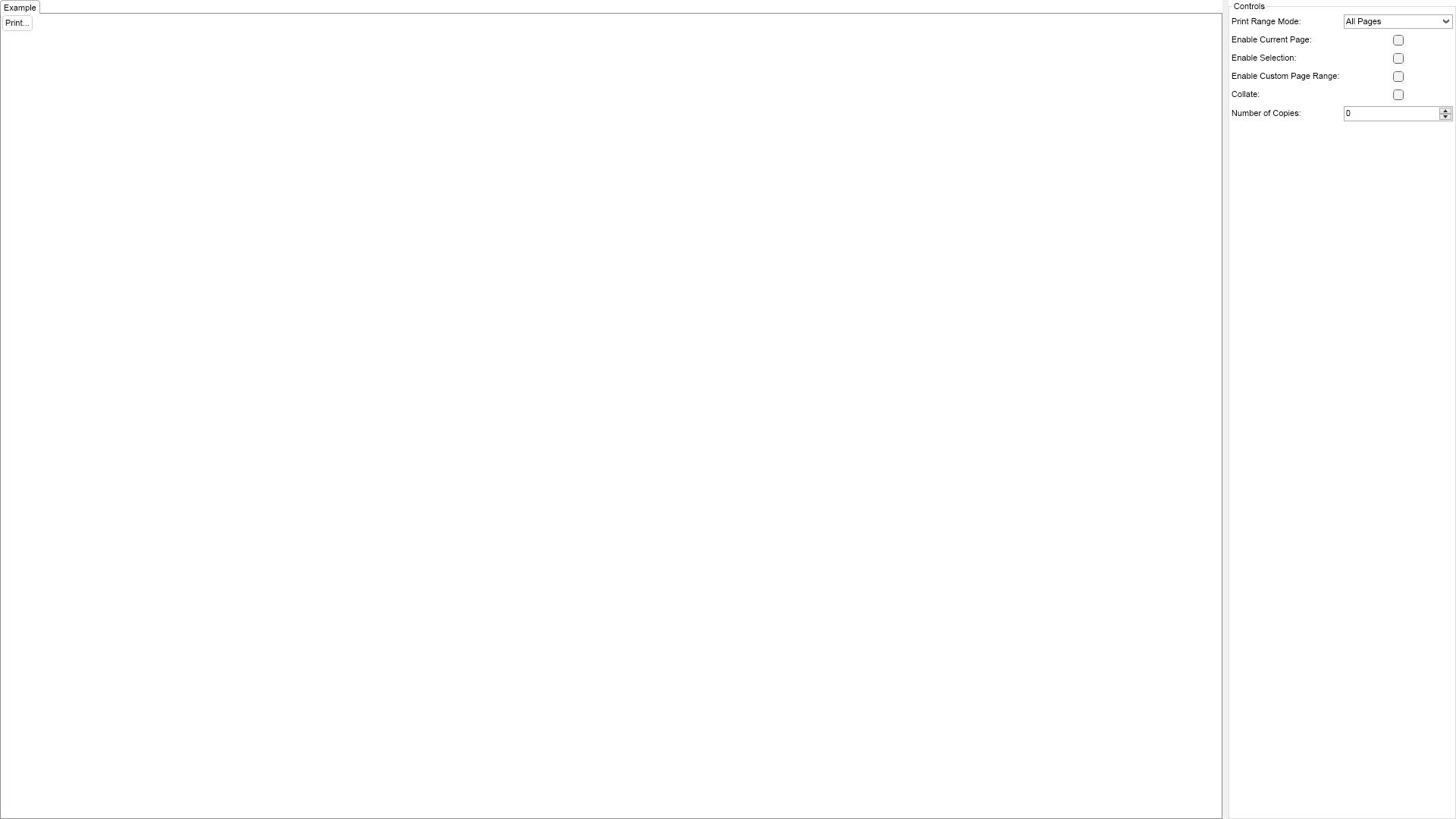
using Nevron.Nov;
using Nevron.Nov.Dom;
using Nevron.Nov.Graphics;
using Nevron.Nov.Layout;
using Nevron.Nov.UI;
using Nevron.Nov.Windows.Forms;
using System;
using System.Windows.Forms;

namespace NovWinFormsProject
{
	public partial class Form1 : Form
	{
		#region Constructors

		public Form1()
		{
			InitializeComponent();

			// Set form title
			Text = "NOV WinForms - NPrintDialogExample";

			// Create the NOV example and its controls
			NWidget exampleContent = CreateExampleContent();
			NWidget exampleControls = CreateExampleControls();
			if (exampleControls != null)
			{
				exampleControls.PreferredWidth = 300;
			}

			// Place the example and its controls in a pair box
			NPairBox pairBox = new NPairBox(exampleContent, exampleControls);
			pairBox.FillMode = ENStackFillMode.First;
			pairBox.FitMode = ENStackFitMode.First;
			pairBox.Margins = new NMargins(NDesign.HorizontalSpacing, NDesign.VerticalSpacing);

			// Host the example in the form
			NNovWidgetHost host = new NNovWidgetHost(pairBox);
			host.Dock = DockStyle.Fill;
			Controls.Add(host);
		}

		#endregion

		#region Example

		public NWidget CreateExampleContent()
		{
			NButton printButton = new NButton("Print...");
			printButton.HorizontalPlacement = ENHorizontalPlacement.Left;
			printButton.VerticalPlacement = ENVerticalPlacement.Top;
			printButton.Click += OnPrintButtonClick;

			return printButton;
		}
		public NWidget CreateExampleControls()
		{
			NStackPanel stack = new NStackPanel();

			// print range mode
			m_PrintRangeModeComboBox = new NComboBox();
			m_PrintRangeModeComboBox.Items.FillFromEnum();
			m_PrintRangeModeComboBox.SelectedIndex = 0;
			stack.Add(new NPairBox("Print Range Mode:", m_PrintRangeModeComboBox, true));

			// enable current page
			m_EnableCurrentPageCheckBox = new NCheckBox();
			stack.Add(new NPairBox("Enable Current Page:", m_EnableCurrentPageCheckBox, true));

			// enable selection
			m_EnableSelectionCheckBox = new NCheckBox();
			stack.Add(new NPairBox("Enable Selection:", m_EnableSelectionCheckBox, true));

			// enable custom page range
			m_EnableCustomPageRangeCheckBox = new NCheckBox();
			stack.Add(new NPairBox("Enable Custom Page Range:", m_EnableCustomPageRangeCheckBox, true));

			// collate
			m_CollateCheckBox = new NCheckBox();
			stack.Add(new NPairBox("Collate:", m_CollateCheckBox, true));

			// number of copies
			m_NumberOfCopiesUpDown = new NNumericUpDown();
			m_NumberOfCopiesUpDown.DecimalPlaces = 0;
			m_NumberOfCopiesUpDown.Step = 1;
			m_NumberOfCopiesUpDown.Minimum = 1;
			m_NumberOfCopiesUpDown.Maximum = 100;
			stack.Add(new NPairBox("Number of Copies:", m_NumberOfCopiesUpDown, true));

			return new NUniSizeBoxGroup(stack);
		}
		public string GetExampleDescription()
		{
			return @"

					This example demonstrates how to create and use the print dialog provided by NOV.
				";
		}

		///
		/// Gets the relevant documentation links for the example
		///
		///
		public (string Name, string Url)[] GetDocumentationUrls()
		{
			return new[]
			{
				("Common Dialogs", "https://www.nevron.com/docs/openvision/ui-common-dialogs.html"),
				("Top Level Windows", "https://www.nevron.com/docs/openvision/ui-top-level-windows.html"),
			};
		}

		#endregion

		#region Implementation
		#endregion

		#region Event Handlers

		private void OnPrintButtonClick(NEventArgs args)
		{
			NPrintDocument printDocument = new NPrintDocument();
			printDocument.DocumentName = "Test Document 1";
			printDocument.BeginPrint += OnBeginPrint;
			printDocument.PrintPage += OnPrintPage;
			printDocument.EndPrint += OnEndPrint;

			NPrintDialog printDialog = new NPrintDialog();

			printDialog.PrintRangeMode = (ENPrintRangeMode)m_PrintRangeModeComboBox.SelectedItem.Tag;
			printDialog.EnableCustomPageRange = m_EnableCustomPageRangeCheckBox.Checked;
			printDialog.EnableCurrentPage = m_EnableCurrentPageCheckBox.Checked;
			printDialog.EnableSelection = m_EnableSelectionCheckBox.Checked;

			printDialog.CustomPageRange = new NRangeI(1, 100);
			printDialog.NumberOfCopies = (int)m_NumberOfCopiesUpDown.Value;
			printDialog.Collate = m_CollateCheckBox.Checked;

			printDialog.PrintDocument = printDocument;
			printDialog.Closed += OnPrintDialogClosed;

			printDialog.RequestShow();
		}
		private void OnBeginPrint(NPrintDocument sender, NBeginPrintEventArgs e)
		{
		}
		private void OnEndPrint(NPrintDocument sender, NEndPrintEventArgs e)
		{
		}
		private void OnPrintPage(NPrintDocument sender, NPrintPageEventArgs e)
		{
			NSize pageSizeDIP = new NSize(this.Width, this.Height);

			try
			{
				NMargins pageMargins = NMargins.Zero;

                NRegion clip = NRegion.FromRectangle(new NRectangle(0, 0, e.PrintableArea.Width, e.PrintableArea.Height));
                NMatrix transform = new NMatrix(e.PrintableArea.X, e.PrintableArea.Y);

				NPaintVisitor visitor = new NPaintVisitor(e.Graphics, 300, transform, clip);

				// forward traverse the display tree
				m_PrintRangeModeComboBox.DisplayWindow.VisitDisplaySubtree(visitor);

				e.HasMorePages = false;
			}
			catch (Exception x)
			{
				NMessageBox.Show(x.Message, "Exception", ENMessageBoxButtons.OK, ENMessageBoxIcon.Error);
			}

		}
		private void OnPrintDialogClosed(NPrintDialogResult result)
		{
			if (result.Result == ENCommonDialogResult.Error)
			{
				NMessageBox.Show("Error Message: " + result.ErrorException.Message, "Print Dialog Error", ENMessageBoxButtons.OK, ENMessageBoxIcon.Error);
			}
		}

		#endregion

		#region Fields

		NComboBox m_PrintRangeModeComboBox;
		NCheckBox m_EnableCustomPageRangeCheckBox;
		NCheckBox m_EnableCurrentPageCheckBox;
		NCheckBox m_EnableSelectionCheckBox;
		NCheckBox m_CollateCheckBox;
		NNumericUpDown m_NumberOfCopiesUpDown;

		#endregion

		#region Static Methods
		#endregion

		#region Constants
		#endregion

		#region Nested Types
		#endregion
	}
}

 Chart for .NET
 Diagram for .NET
 User Interface for .NET
 Vision for SSRS
 Chart for SSRS
 Gauge for SSRS
 Map for SSRS
 Barcode for SSRS
 Vision for SharePoint
 Chart for SharePoint
 Gauge for SharePoint
 Map for SharePoint
 Barcode for SharePoint
 Open Vision for .NET


 Vision for .NET