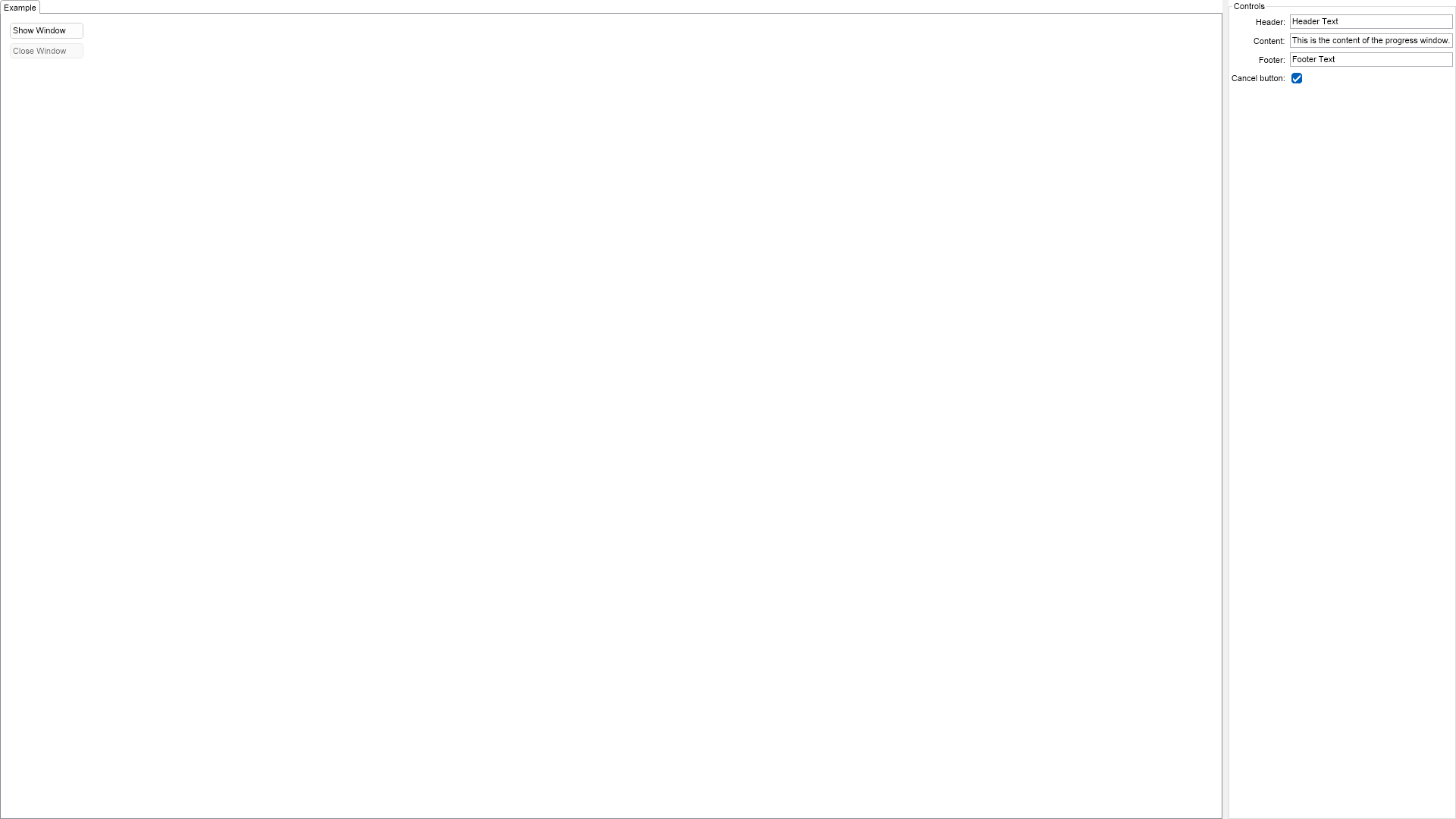
This example demonstrates how to create, show and close progress windows. They are typically used to indicate progress during long-running operations. Click the Show Window button to show a progress window and the Close Window button to close it. Use the controls on the right to configure the window.

| Language: C# |
using Nevron.Nov;
using Nevron.Nov.Dom;
using Nevron.Nov.Graphics;
using Nevron.Nov.Layout;
using Nevron.Nov.UI;
using Nevron.Nov.Windows.Forms;
using System;
using System.Windows.Forms;
namespace NovWinFormsProject
{
public partial class Form1 : Form
{
#region Constructors
public Form1()
{
InitializeComponent();
// Set form title
Text = "NOV WinForms - NProgressWindowExample";
// Create the NOV example and its controls
NWidget exampleContent = CreateExampleContent();
NWidget exampleControls = CreateExampleControls();
if (exampleControls != null)
{
exampleControls.PreferredWidth = 300;
}
// Place the example and its controls in a pair box
NPairBox pairBox = new NPairBox(exampleContent, exampleControls);
pairBox.FillMode = ENStackFillMode.First;
pairBox.FitMode = ENStackFitMode.First;
pairBox.Margins = new NMargins(NDesign.HorizontalSpacing, NDesign.VerticalSpacing);
// Host the example in the form
NNovWidgetHost host = new NNovWidgetHost(pairBox);
host.Dock = DockStyle.Fill;
Controls.Add(host);
}
#endregion
#region Example
public NWidget CreateExampleContent()
{
NStackPanel stack = new NStackPanel();
stack.Padding = new NMargins(10);
stack.HorizontalPlacement = ENHorizontalPlacement.Left;
m_ShowButton = new NButton("Show Window");
m_ShowButton.Click += OnShowButtonClick;
stack.Add(m_ShowButton);
m_CloseButton = new NButton("Close Window");
m_CloseButton.Enabled = false;
m_CloseButton.Click += OnCloseButtonClick;
stack.Add(m_CloseButton);
m_IncreaseProgressButton = new NButton("Increase Progress");
m_IncreaseProgressButton.Visibility = ENVisibility.Hidden;
m_IncreaseProgressButton.Click += OnIncreaseProgressButtonClick;
stack.Add(m_IncreaseProgressButton);
return stack;
}
public NWidget CreateExampleControls()
{
NStackPanel stack = new NStackPanel();
m_ProgressHeaderTextBox = new NTextBox("Header Text");
stack.Add(NPairBox.Create("Header:", m_ProgressHeaderTextBox));
m_ProgressContentTextBox = new NTextBox("This is the content of the progress window.");
stack.Add(NPairBox.Create("Content:", m_ProgressContentTextBox));
m_ProgressFooterTextBox = new NTextBox("Footer Text");
stack.Add(NPairBox.Create("Footer:", m_ProgressFooterTextBox));
m_ShowCancelButtonCheckBox = new NCheckBox();
m_ShowCancelButtonCheckBox.Checked = true;
m_ShowCancelButtonCheckBox.HorizontalPlacement = ENHorizontalPlacement.Left;
stack.Add(NPairBox.Create("Cancel button:", m_ShowCancelButtonCheckBox));
return new NUniSizeBoxGroup(stack);
}
public string GetExampleDescription()
{
return @"
This example demonstrates how to create, show and close progress windows. They are typically used to indicate progress
during long-running operations. Click the Show Window button to show a progress window and the Close Window
button to close it. Use the controls on the right to configure the window.
";
}
///
/// Gets the relevant documentation links for the example
///
///
public (string Name, string Url)[] GetDocumentationUrls()
{
return new[]
{
("Progress Window", "https://www.nevron.com/docs/openvision/ui-progress-window.html"),
("Top Level Windows", "https://www.nevron.com/docs/openvision/ui-top-level-windows.html"),
};
}
#endregion
#region Implementation
#endregion
#region Event Handlers
private void OnShowButtonClick(NEventArgs arg)
{
m_ProgressWindow = NProgressWindow.Create(DisplayWindow, m_ProgressHeaderTextBox.Text);
m_ProgressWindow.Content = String.IsNullOrEmpty(m_ProgressContentTextBox.Text) ? null : new NLabel(m_ProgressContentTextBox.Text);
m_ProgressWindow.Footer = String.IsNullOrEmpty(m_ProgressFooterTextBox.Text) ? null : new NLabel(m_ProgressFooterTextBox.Text);
if (m_ShowCancelButtonCheckBox.Checked)
{
m_ProgressWindow.ButtonStrip = new NButtonStrip();
m_ProgressWindow.ButtonStrip.AddCancelButton();
}
m_ProgressWindow.Open();
m_CloseButton.Enabled = true;
m_IncreaseProgressButton.Enabled = true;
m_IncreaseProgressButton.Visibility = ENVisibility.Visible;
}
private void OnCloseButtonClick(NEventArgs arg)
{
m_ProgressWindow.Close();
m_CloseButton.Enabled = false;
}
private void OnIncreaseProgressButtonClick(NEventArgs arg)
{
m_ProgressWindow.ProgressBar.Value += 10;
if (m_ProgressWindow.ProgressBar.Value >= m_ProgressWindow.ProgressBar.Maximum)
{
m_IncreaseProgressButton.Enabled = false;
}
}
#endregion
#region Fields
private NProgressWindow m_ProgressWindow;
private NButton m_ShowButton;
private NButton m_CloseButton;
private NButton m_IncreaseProgressButton;
// Controls
private NTextBox m_ProgressHeaderTextBox;
private NTextBox m_ProgressContentTextBox;
private NTextBox m_ProgressFooterTextBox;
private NCheckBox m_ShowCancelButtonCheckBox;
#endregion
#region Static Methods
#endregion
#region Constants
#endregion
#region Nested Types
#endregion
}
}