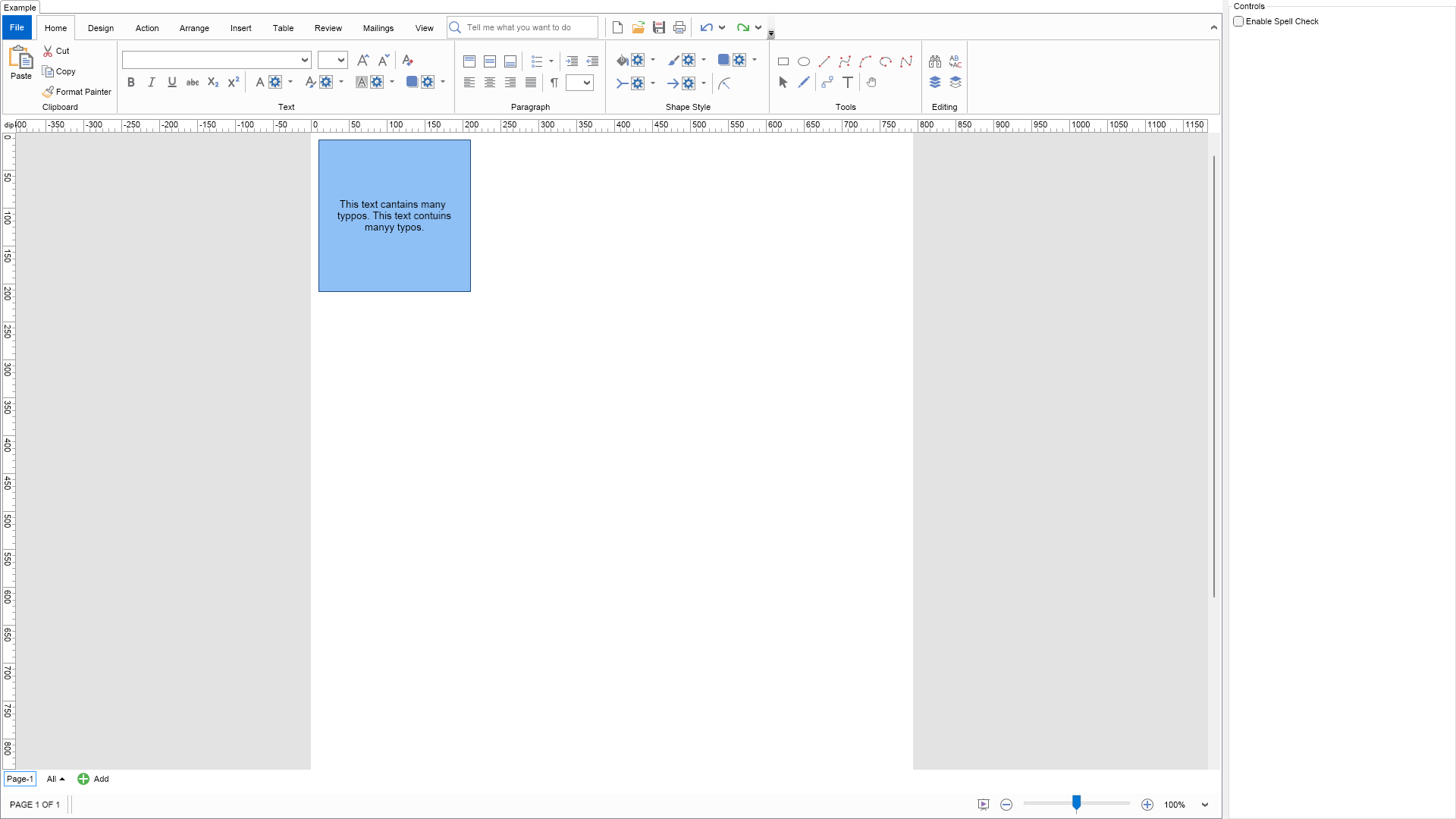
Spell Check Example for Blazor

Nevron NOV Diagram for Blazor ships with hundreds of examples with full source code, as part of the Nevron Open Vision Suite. All Blazor Diagram examples are also available as a stand-alone Visual Studio solution in C#, which you can download from the links below.

Spell Check Example for Blazor Description

Demonstrates how to enable the build in spell check.


Spell Check Example

C# Spell Check Example Code for Nevron Diagram for Blazor
Language: C#

using Nevron.Nov;
using Nevron.Nov.Diagram;
using Nevron.Nov.Diagram.Shapes;
using Nevron.Nov.Dom;
using Nevron.Nov.Graphics;
using Nevron.Nov.Layout;
using Nevron.Nov.UI;
using Nevron.Nov.Windows.Forms;
using System.Windows.Forms;

namespace NovWinFormsProject
{
	public partial class Form1 : Form
	{
		#region Constructors

		public Form1()
		{
			InitializeComponent();

			// Set form title
			Text = "NOV WinForms - NSpellCheckExample";

			// Create the NOV example and its controls
			NWidget exampleContent = CreateExampleContent();
			NWidget exampleControls = CreateExampleControls();
			if (exampleControls != null)
			{
				exampleControls.PreferredWidth = 300;
			}

			// Place the example and its controls in a pair box
			NPairBox pairBox = new NPairBox(exampleContent, exampleControls);
			pairBox.FillMode = ENStackFillMode.First;
			pairBox.FitMode = ENStackFitMode.First;
			pairBox.Margins = new NMargins(NDesign.HorizontalSpacing, NDesign.VerticalSpacing);

			// Host the example in the form
			NNovWidgetHost host = new NNovWidgetHost(pairBox);
			host.Dock = DockStyle.Fill;
			Controls.Add(host);
		}

		#endregion

        #region Example

        public NWidget CreateExampleContent()
        {
            // Create a simple drawing
            NDrawingViewWithRibbon drawingViewWithRibbon = new NDrawingViewWithRibbon();
            m_DrawingView = drawingViewWithRibbon.View;

            m_DrawingView.Document.HistoryService.Pause();
            try
            {
                InitDiagram(m_DrawingView.Document);
            }
            finally
            {
                m_DrawingView.Document.HistoryService.Resume();
            }

            return drawingViewWithRibbon;
        }
		public NWidget CreateExampleControls()
		{
			NStackPanel stack = new NStackPanel();

			NCheckBox enableSpellCheck = new NCheckBox("Enable Spell Check");
			enableSpellCheck.Click += OnEnableSpellCheckButtonClick;
			stack.Add(enableSpellCheck);

			return stack;
		}
        public string GetExampleDescription()
        {
            return @"

Demonstrates how to enable the build in spell check.

"; } /// /// Gets the relevant documentation links for the example /// /// public (string Name, string Url)[] GetDocumentationUrls() { return new[] { ("Rich Text Spell Check", "https://www.nevron.com/docs/openvision/rich-text-spell-check.html"), ("Text Block", "https://www.nevron.com/docs/openvision/diagram-text-block.html"), }; } private void InitDiagram(NDrawingDocument drawingDocument) { // Hide the grid NDrawing drawing = drawingDocument.Content; drawing.ScreenVisibility.ShowGrid = false; NShape shape1 = new NBasicShapeFactory().CreateShape(ENBasicShape.Rectangle); shape1.SetBounds(10, 10, 200, 200); shape1.TextBlock = new NTextBlock(); shape1.TextBlock.Padding = new NMargins(20); shape1.TextBlock.Text = "This text cantains many typpos. This text contuins manyy typos."; drawing.ActivePage.Items.Add(shape1); } #endregion #region Implementation #endregion #region Event Handlers /// /// Called when the user presses the find all button /// /// void OnEnableSpellCheckButtonClick(NEventArgs arg) { m_DrawingView.SpellChecker.Enabled = ((NCheckBox)arg.TargetNode).Checked; } #endregion #region Fields private NDrawingView m_DrawingView; #endregion #region Static Methods #endregion #region Constants #endregion #region Nested Types #endregion } }

Download a fully functional C# (.cs) Spell Check Example for Blazor Solution

Related Documentation Links