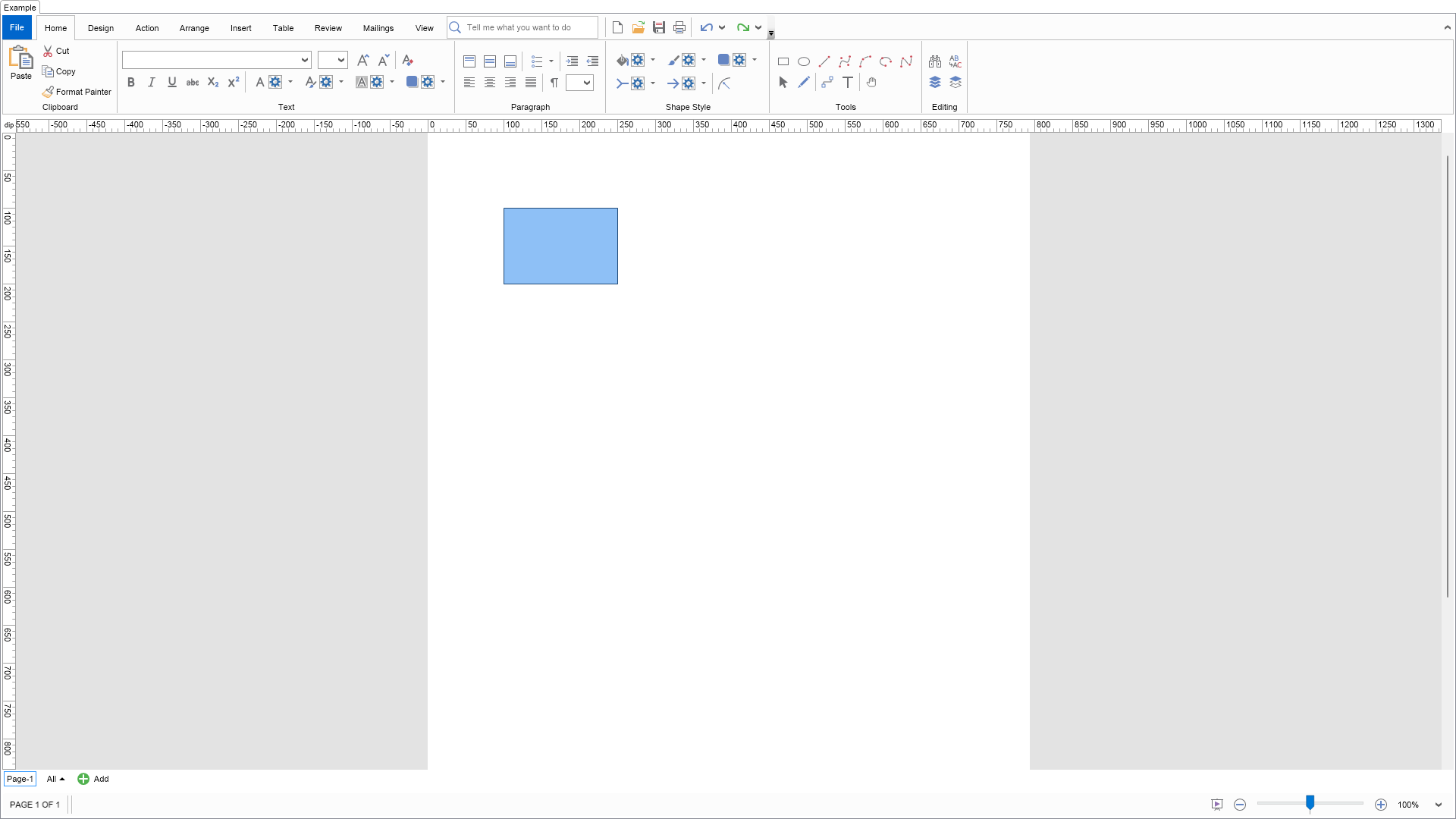
Context Menu Customization Example for Blazor

Nevron NOV Diagram for Blazor ships with hundreds of examples with full source code, as part of the Nevron Open Vision Suite. All Blazor Diagram examples are also available as a stand-alone Visual Studio solution in C#, which you can download from the links below.

Context Menu Customization Example for Blazor Description

This example demonstrates how to customize the NOV drawing view's context menu. A custom command is added at the end of the context menu.


Context Menu Customization Example

C# Context Menu Customization Example Code for Nevron Diagram for Blazor
Language: C#

using Nevron.Nov;
using Nevron.Nov.Diagram;
using Nevron.Nov.Diagram.DrawingCommands;
using Nevron.Nov.Diagram.Shapes;
using Nevron.Nov.Dom;
using Nevron.Nov.Graphics;
using Nevron.Nov.Layout;
using Nevron.Nov.UI;
using Nevron.Nov.Windows.Forms;
using System.Windows.Forms;

namespace NovWinFormsProject
{
	public partial class Form1 : Form
	{
		#region Constructors

		public Form1()
		{
			InitializeComponent();

			// Set form title
			Text = "NOV WinForms - NContextMenuCustomizationExample";

			// Create the NOV example and its controls
			NWidget exampleContent = CreateExampleContent();
			NWidget exampleControls = CreateExampleControls();
			if (exampleControls != null)
			{
				exampleControls.PreferredWidth = 300;
			}

			// Place the example and its controls in a pair box
			NPairBox pairBox = new NPairBox(exampleContent, exampleControls);
			pairBox.FillMode = ENStackFillMode.First;
			pairBox.FitMode = ENStackFitMode.First;
			pairBox.Margins = new NMargins(NDesign.HorizontalSpacing, NDesign.VerticalSpacing);

			// Host the example in the form
			NNovWidgetHost host = new NNovWidgetHost(pairBox);
			host.Dock = DockStyle.Fill;
			Controls.Add(host);
		}

		#endregion

		#region Example

		public NWidget CreateExampleContent()
		{
			// Create a simple drawing
			m_DrawingView = new NDrawingView();

			m_DrawingView.Document.HistoryService.Pause();
			try
			{
				InitDiagram(m_DrawingView.Document);
			}
			finally
			{
				m_DrawingView.Document.HistoryService.Resume();
			}

			// Add the custom command action to the drawing view's commander
			m_DrawingView.Commander.Add(new CustomCommandAction());

			// Change the context menu factory to the custom one
			m_DrawingView.ContextMenu = new CustomContextMenu();

			NDiagramRibbonBuilder ribbonBuilder = new NDiagramRibbonBuilder();
			return ribbonBuilder.CreateUI(m_DrawingView);
		}
		public NWidget CreateExampleControls()
		{
			return null;
		}
		public string GetExampleDescription()
		{
			return @"

This example demonstrates how to customize the NOV drawing view's context menu. A custom command is added at the end of the context menu.

"; } /// /// Gets the relevant documentation links for the example /// /// public (string Name, string Url)[] GetDocumentationUrls() { return new[] { ("Context Menu", "https://www.nevron.com/docs/openvision/diagram-context-menu.html"), ("Commanding Overview", "https://www.nevron.com/docs/openvision/diagram-commanding-overview.html"), }; } private void InitDiagram(NDrawingDocument drawingDocument) { NShape shape = new NBasicShapeFactory().CreateShape(ENBasicShape.Rectangle); shape.SetBounds(100, 100, 150, 100); drawingDocument.Content.ActivePage.Items.Add(shape); } #endregion #region Implementation #endregion #region Event Handlers #endregion #region Fields private NDrawingView m_DrawingView; #endregion #region Static Methods #endregion #region Constants public static readonly NCommand CustomCommand = NCommand.Create(typeof(Nevron.Nov.Examples.Diagram.NContextMenuCustomizationExample), "CustomCommand", "Custom Command"); #endregion #region Nested Types public class CustomContextMenu : NDrawingContextMenu { /// /// Default constructor. /// public CustomContextMenu() { } /// /// Static constructor. /// static CustomContextMenu() { CustomContextMenuSchema = NSchema.Create(typeof(CustomContextMenu), NDrawingContextMenuSchema); } protected override void CreateCustomCommands(NMenu menu, NContextMenuBuilder builder) { base.CreateCustomCommands(menu, builder); // Add a custom command builder.AddMenuItem(menu, Nevron.Nov.Graphics.NImage.FromBytes(Nevron.Nov.NConvert.FromBase64String("iVBORw0KGgoAAAANSUhEUgAAABAAAAAQCAYAAAAf8/9hAAABsElEQVR4AYWTQ7BjQRSGZz3cjM04Y9u2bdu2bdu29bx83jxzvI79z+munDiVW/Vd/Lf/g0aF0MvyeUJT4ipRTsDLb+ImoQ4zhJifEYjBp2jmfAJWAsmTYP/mN9m+SE08WfsVar7PZuPHcajfRI2M68NFEGn6+3wM6jZSovTRyMAgH9jcgDM5v0/E5+ODUbOBCgeX9oAnfiLccRNxf1c/qV3Z1Ed+B7SjFQHOsiAyplHmSjUUuLZZDoYMemKw1F4eHAjX96AAt7l3MIifIDOZP/k1D5kubuxDCcazxvwTAZyBoouyImUykDCJmMjISeTyA+EAbMbjvf1xaFlP7FrYHTvmS7B7UQ+cWNULj/f0o5bCA+Tyh8jSTKFGU4UGzZXBNCOtWm2FrCYgwB8R4DQL4ue2ud3QpLkGOp0uiGYUZM6YDkDipMAAN0WAOgQYN5XYv0crNGyqhoJMCpUGjZqp0am9HuaP42H9EtRCC94LN1m0EkiahDeHB2LNjC5YOaUzHu3uL6uzBZtfhe7G7KDV+M4rEHH2i0KPQlAlMXga60TW8U5sHuEkXEQBcYFoGDr+P5RkQoMvtntjAAAAAElFTkSuQmCC")), CustomCommand); } /// /// Schema associated with CustomContextMenu. /// public static readonly NSchema CustomContextMenuSchema; } public class CustomCommandAction : NDrawingCommandAction { #region Constructors /// /// Default constructor. /// public CustomCommandAction() { } /// /// Static constructor. /// static CustomCommandAction() { CustomCommandActionSchema = NSchema.Create(typeof(CustomCommandAction), NDrawingCommandActionSchema); } #endregion #region Public Overrides /// /// Gets the command associated with this command action. /// /// public override NCommand GetCommand() { return CustomCommand; } /// /// Executes the command action. /// /// /// public override void Execute(NNode target, object parameter) { NDrawingView drawingView = GetDrawingView(target); NMessageBox.Show("Drawing Custom Command executed!", "Custom Command", ENMessageBoxButtons.OK, ENMessageBoxIcon.Information); } #endregion #region Schema /// /// Schema associated with CustomCommandAction. /// public static readonly NSchema CustomCommandActionSchema; #endregion } #endregion } }

Download a fully functional C# (.cs) Context Menu Customization Example for Blazor Solution

Related Documentation Links